What Do the UPI and Cash Tags Mean in the Vinimay Transactions List?
In the Vinimay Transactions list, every row has a small colored tag in the Payment Method column. On the Sales tab you see UPI, and on the Purchases tab you see Cash. You wonder what these tags are, where they come from, and where you can change them.
The tag shows the payment method that was chosen for that transaction. It comes from the Payment Method field of the Create Transaction form, which you fill in when you record the sale or the purchase.
This guide starts from the login page and shows, with real screenshots of Vinimay, where the badges appear and where the payment method is chosen.
Step 1: Log in to Vinimay
Open the Vinimay login page. Choose Client Login for the account owner or User Login for staff (marker 1). Enter the Username (marker 2) and Password (marker 3), type the CAPTCHA (marker 4), and click Sign In (marker 5).
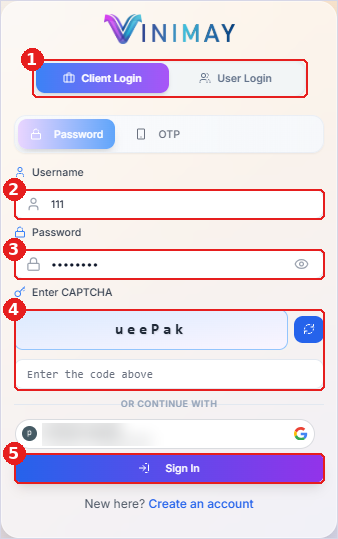
Step 1: Log in to Vinimay
Step 2: Open Transactions
After you sign in, you land on the Dashboard. In the left menu, click Transactions (marker 6).
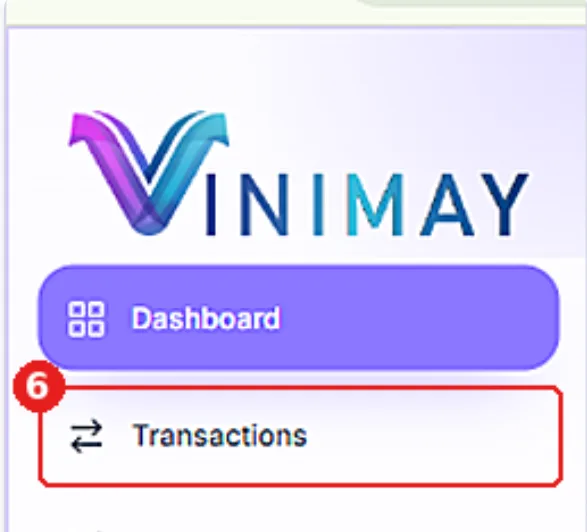
Step 2: Transactions in the left menu
Step 3: Find the Payment Method column on the Sales tab
On the Sales tab, the Payment Method column (marker 10) shows a tag for each sale. In the example all three sales show UPI (markers 7, 8 and 9).
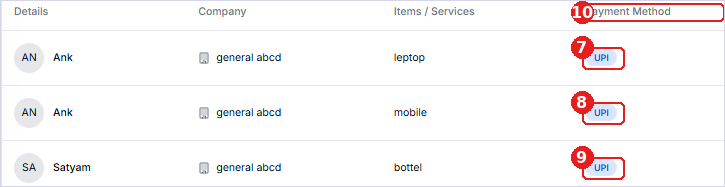
Step 3: UPI tags on the Sales tab
Step 4: Find the tag on the Purchases tab
On the Purchases tab, the same column (marker 12) shows Cash for the purchase (marker 11).

Step 4: The Cash tag on the Purchases tab
Step 5: See where the payment method is chosen
When you create a transaction, the form has a required Payment Method field (marker 13) with a dropdown that says "Select Payment Method". The method you pick there is what the tag shows in the list.

Step 5: The Payment Method field
Conclusion
The tags in the Payment Method column of Vinimay's Transactions list show the payment method that was chosen when the transaction was created. In the example, the sales show UPI and the purchase shows Cash.
The choice is made in the required Payment Method field of the Create Transaction form. Check the tag after you save.
Seeing the method at a glance helps you reconcile. Create a free Vinimay account and try it on your next sale.