Managing customer records is an important part of running a successful restaurant. Restaurant owners need to understand their customers' previous orders, billing details, and purchasing preferences to provide better service and maintain accurate records.
With Vinimay Restaurant Management Software, you can manage customer information and review available historical records without maintaining separate registers or spreadsheets.
In this step-by-step guide, we will explain how to view a restaurant customer's history in Vinimay and use the information to improve restaurant operations.
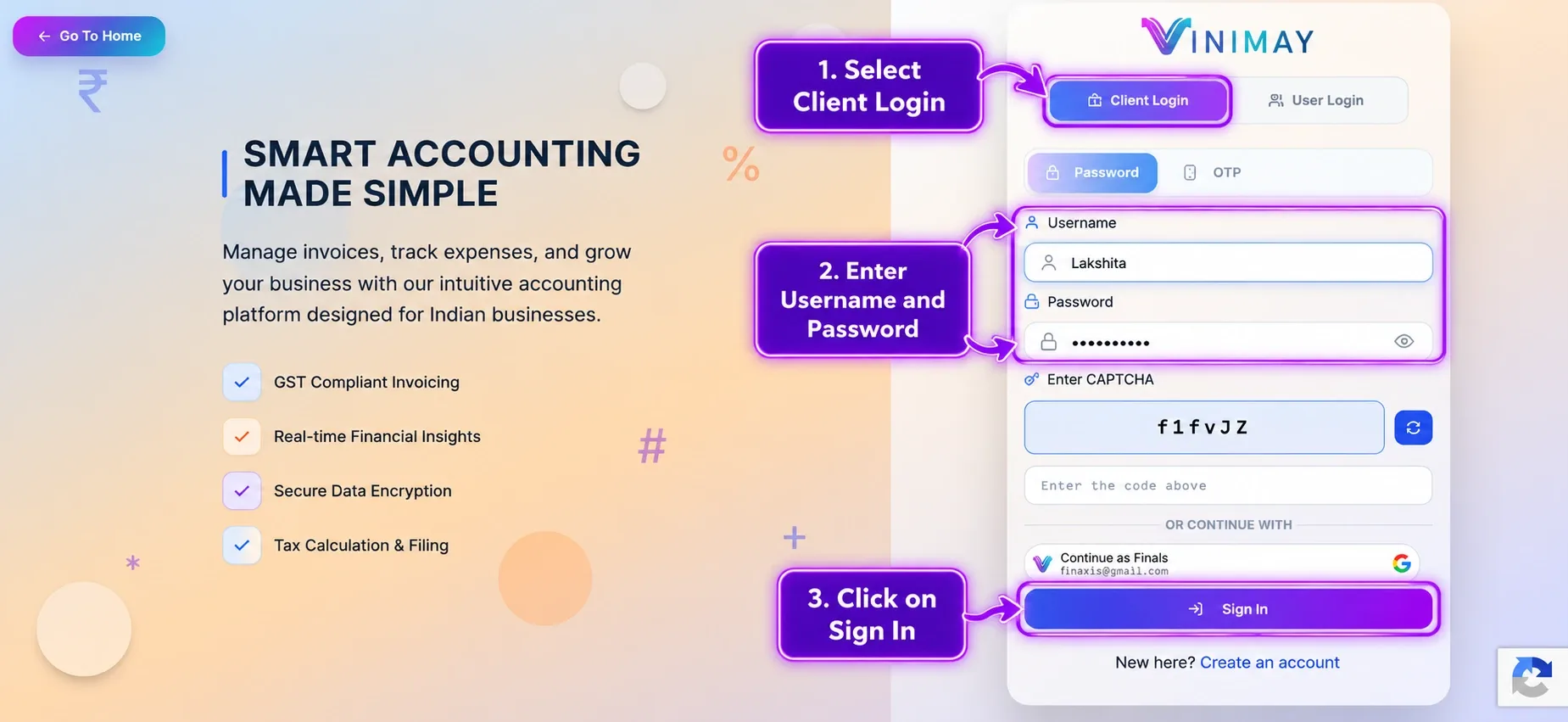
Step 1: Log in to Your Vinimay Account
First, open the Vinimay website and log in using your registered credentials.
Enter your email address or username and password, then click the Login button.
After successfully logging in, you will be redirected to the Vinimay dashboard, where you can access different business management features.
Make sure you are using an account that has permission to access restaurant management and customer records.
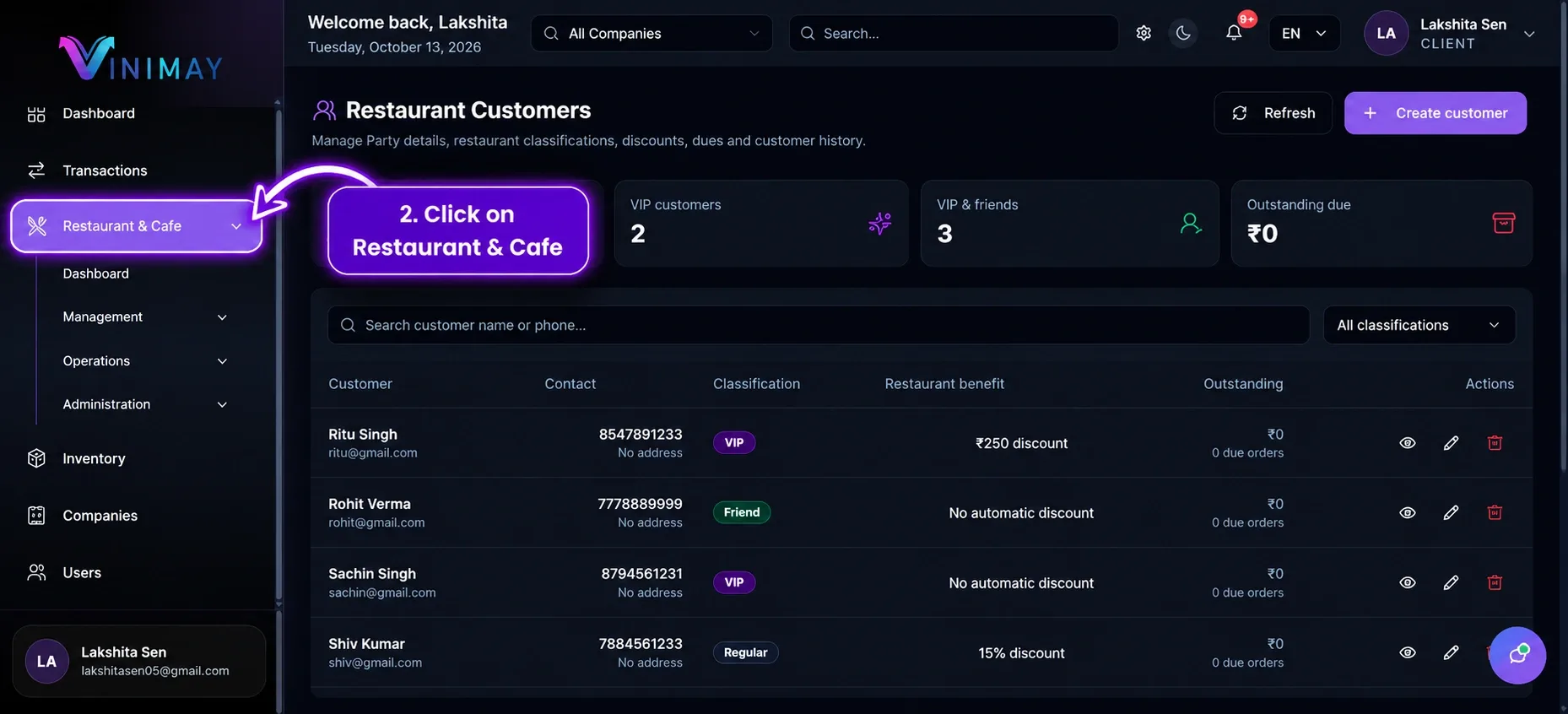
Step 2: Open the Restaurant & Cafe Section
On the left sidebar of the Vinimay dashboard, locate the Restaurant & Cafe option.
Click this section to expand the available restaurant management features.
Depending on the features enabled for your restaurant, you may find options for managing tables, orders, menus, customers, employees, and other restaurant activities.
Select the restaurant for which you want to review customer information, if a restaurant selection is required.
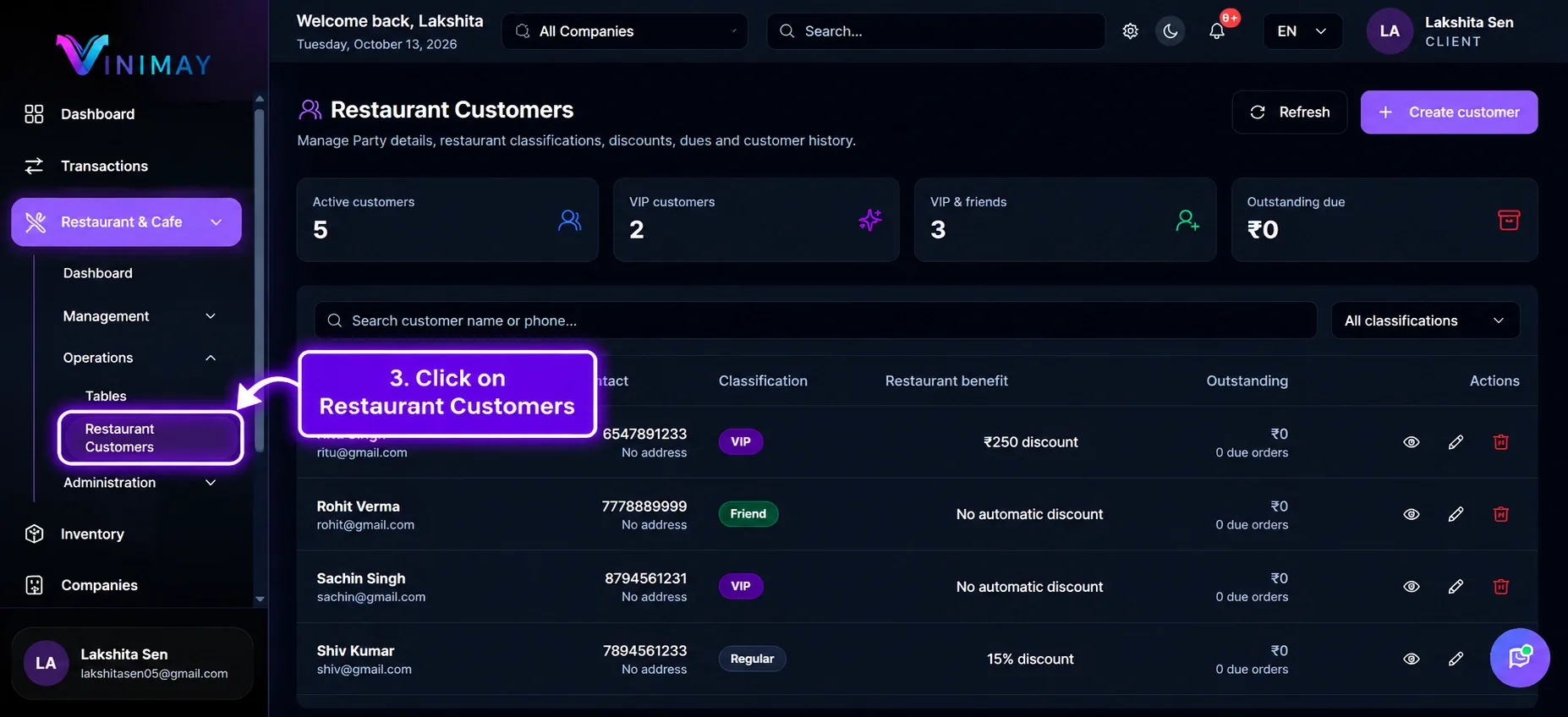
Step 3: Navigate to the Customers Section
Inside the Restaurant & Cafe module, find the Customers option.
Click on it to open the restaurant's customer management page.
This section helps restaurant owners organize customer details in one place.
You may see customer information such as names, contact numbers, and other saved details.
Use the available customer list to locate the person whose previous records you want to review.
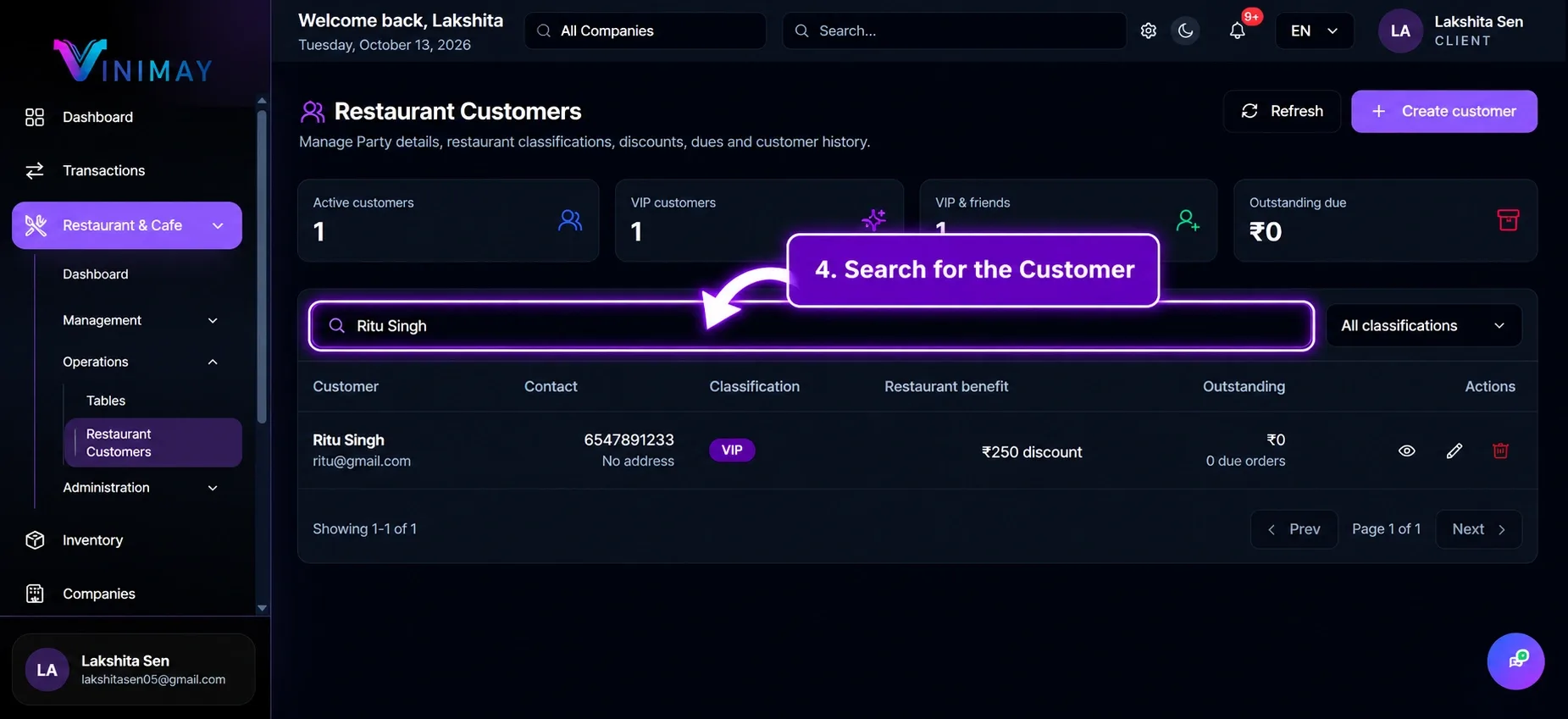
Step 4: Search for the Customer
Once the customer management page opens, locate the customer you want to check.
If a search feature is available, enter the customer's name or registered mobile number.
For example, if you want to check the records of a customer named Rahul Sharma, enter the customer's name in the search field.
Review the matching results carefully to ensure that you select the correct customer.
This is especially helpful for restaurants that maintain records for many regular customers.
Step 5: Open the Customer's Profile
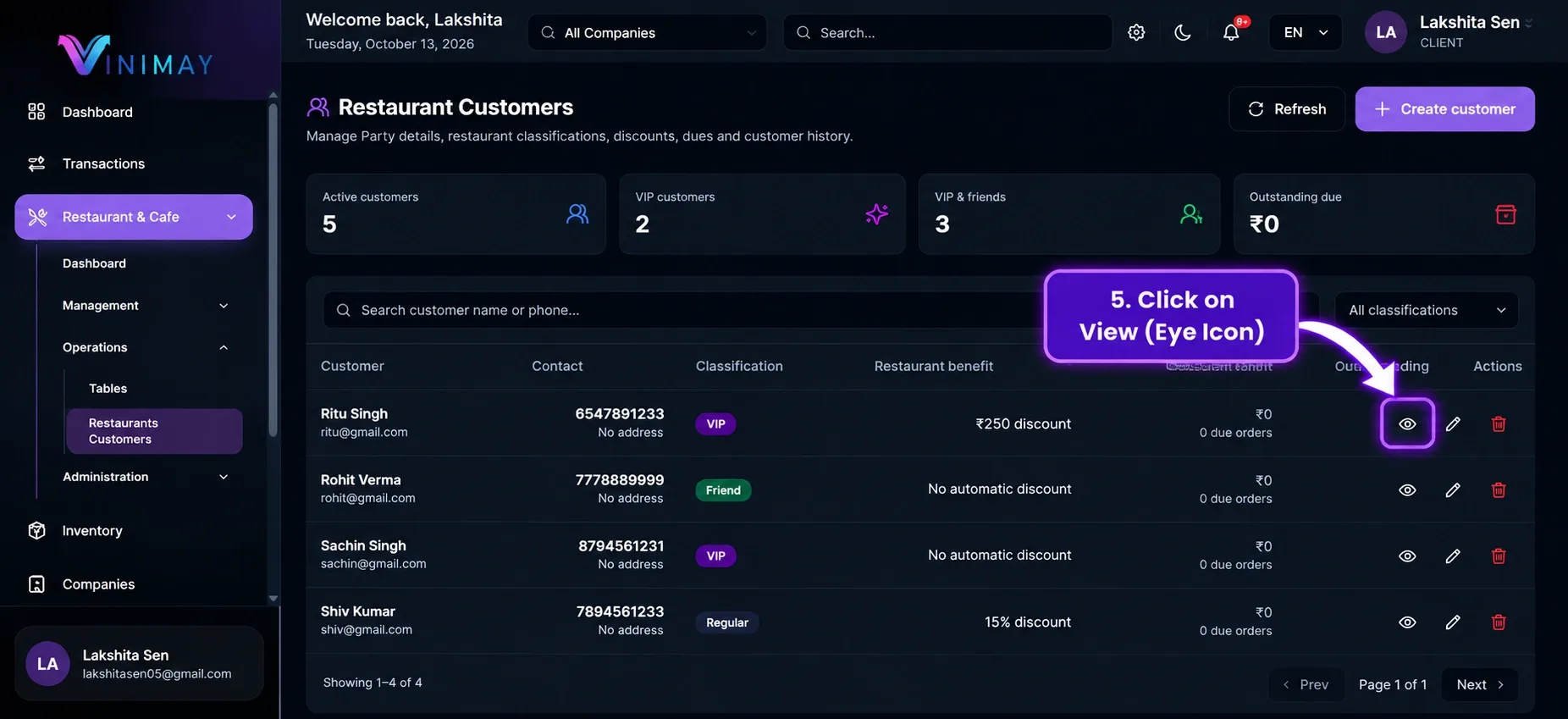
After finding the customer, click on their name or the available View Details option.
The customer's profile will open, showing the information saved for that customer.
Review the contact details and any other available customer information.
If your Vinimay account supports customer benefits or loyalty-related features, relevant benefits may also be visible in the customer's details.
Ensure that you are viewing the correct profile before checking historical transactions or orders.
Step 6: View the Customer's Order History
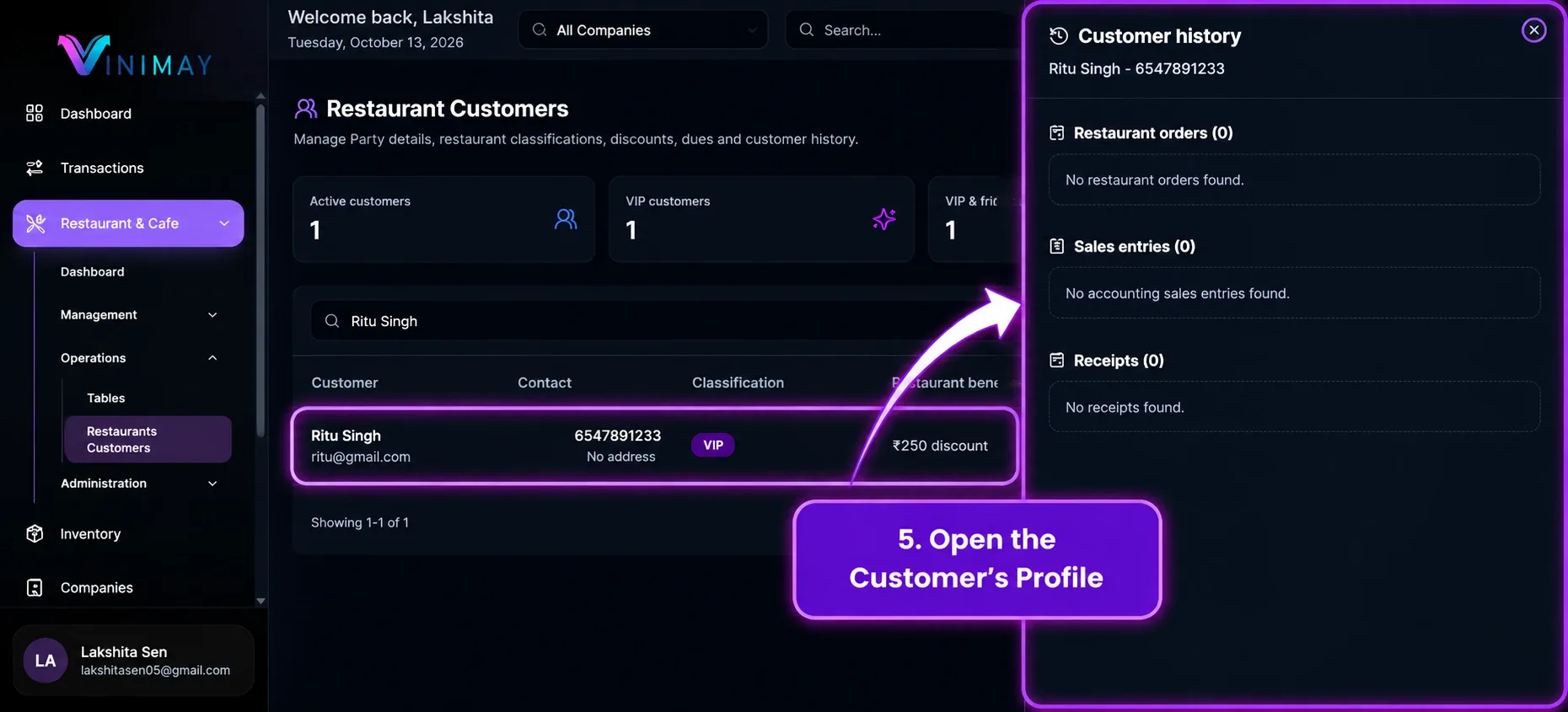
Inside the customer profile, look for the Order History, Transaction History, or similar option, where available.
Open the available historical records to review the customer's previous restaurant activities.
Depending on the records maintained and the features enabled, you may be able to check:
Previous orders and purchased menu items
Order dates and billing amounts
Payment information
Discounts or customer benefits applied
Previous bills or invoices
Reviewing these records can help restaurant staff understand customer preferences, respond to billing questions, and provide more personalized service.
Step 7: Review and Use Customer History
After opening the customer's history, carefully review the available records.
Check previous billing amounts, order information, and transaction dates to understand the customer's past purchases.
If date filters or search options are available, use them to locate specific records.
You can also use customer history to identify regular customers, resolve queries about earlier orders, and maintain better customer relationships.
For future reference, keep customer information updated and ensure that restaurant orders are recorded accurately.
Benefits of Viewing Customer History in Vinimay
Maintaining customer history can help restaurants improve everyday operations. It allows staff to find previous order details more easily, reduces confusion during billing inquiries, and supports better customer service.
Restaurant owners can also use historical purchase information to understand repeat visits and customer preferences, where the required records are available.
Conclusion
Viewing a restaurant customer's history in Vinimay can make customer management more organized and convenient.
By navigating to Restaurant & Cafe → Customers → Customer Profile → Available History, restaurant owners can review relevant customer records and use the information to improve service.
With proper record management, restaurants can reduce manual work, maintain billing accuracy, and build stronger relationships with regular customers.