Vinimay’s Recipe & BOM Manager helps restaurants calculate the cost of preparing a menu item based on the ingredients used in the recipe. Once ingredients, quantities, and costs are entered, Vinimay can show the total recipe cost, selling price, and food cost %.
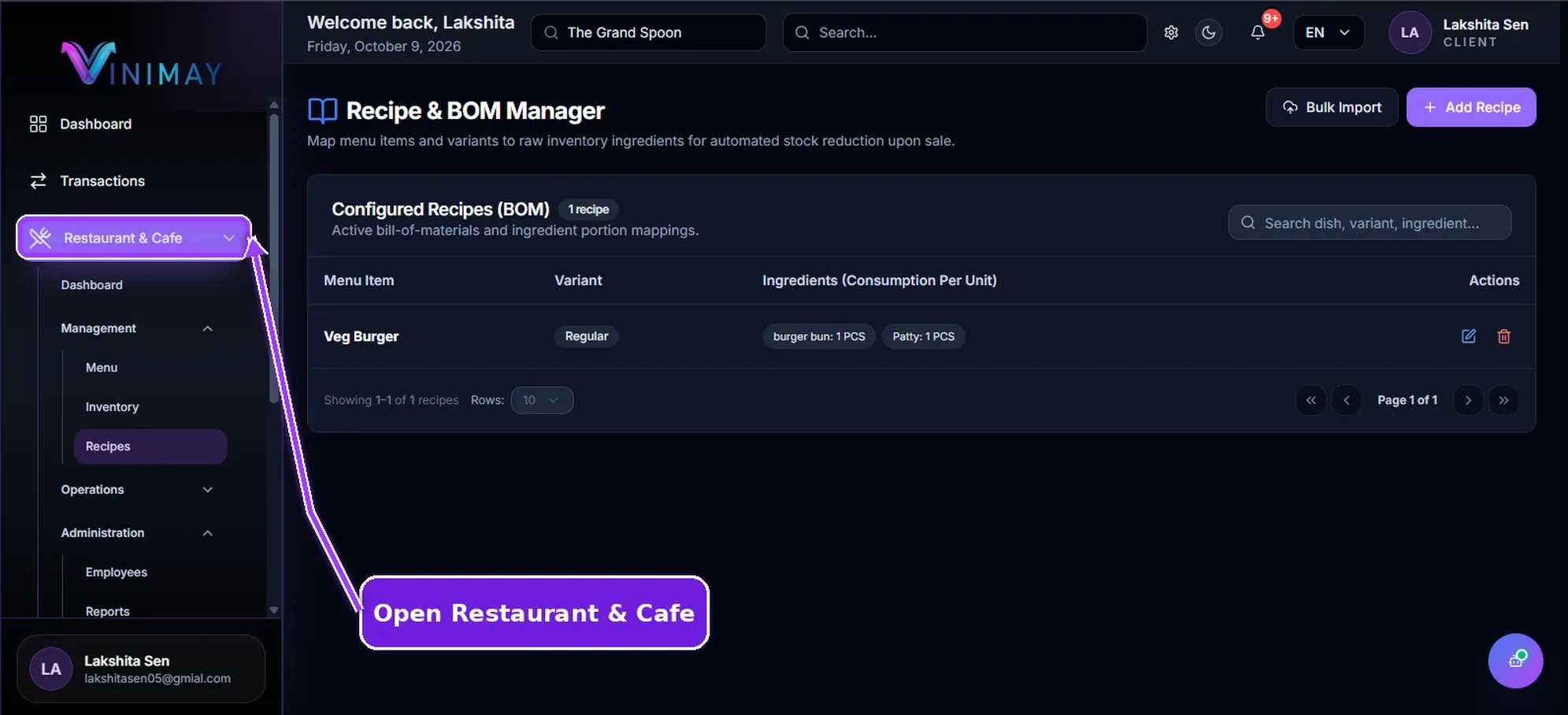
Step 1: Open Restaurant & Cafe and Click Recipes.
Log in to Vinimay and select the correct restaurant company.
From the left-side menu, open Restaurant & Cafe.
Under the Management section, click Recipes.
This opens the Recipe & BOM Manager, where menu items can be linked with the raw materials used to prepare them.
Step 2: Click Add Recipe
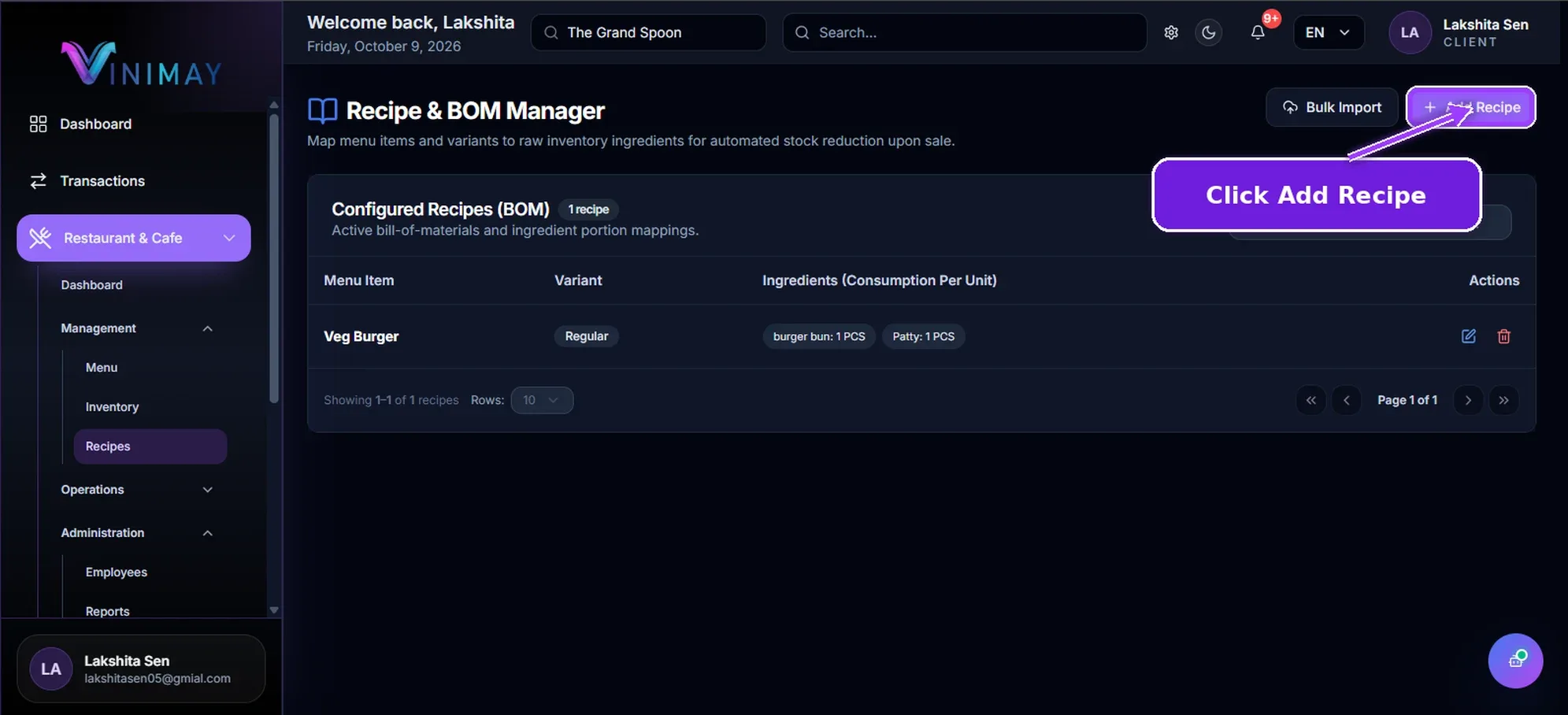
On the Recipe & BOM Manager page, click Add Recipe.
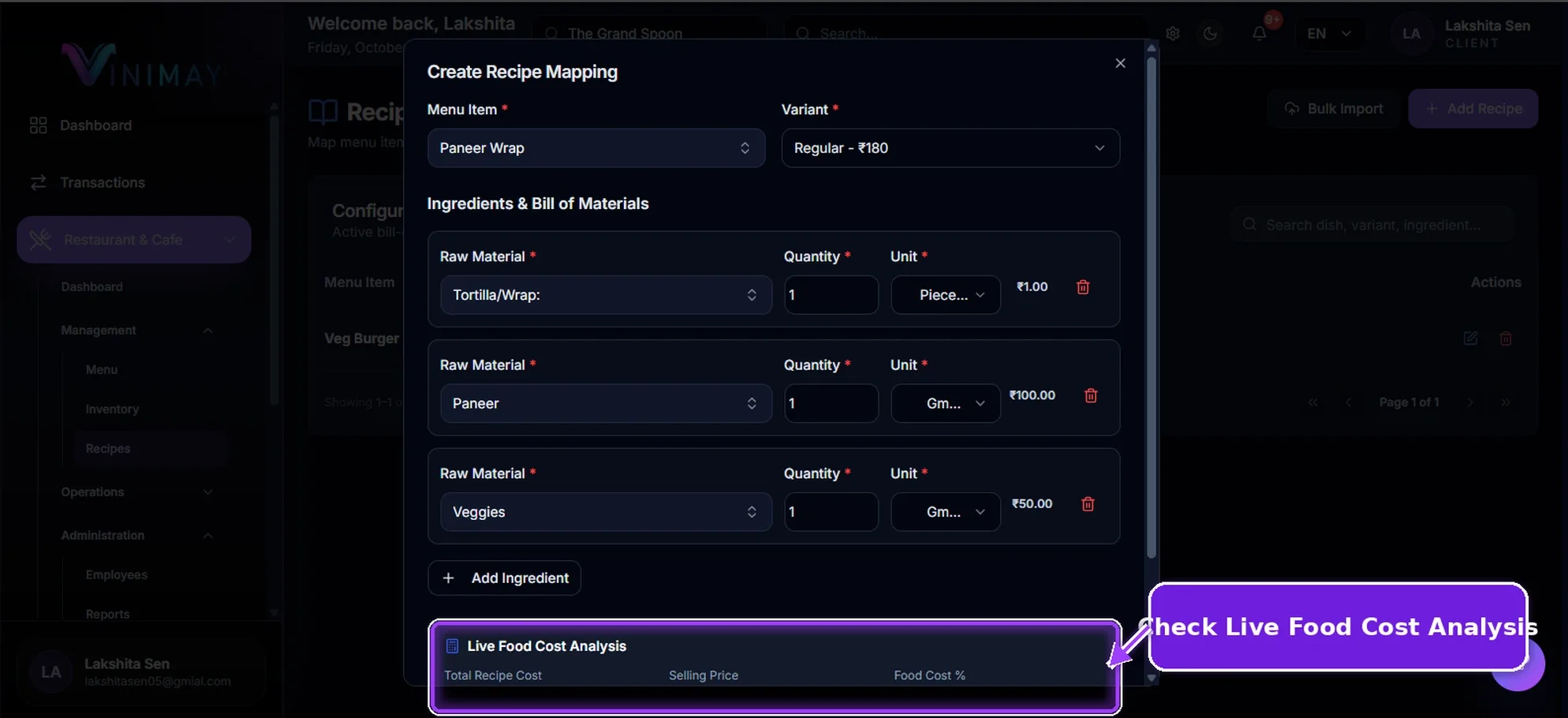
The Create Recipe Mapping form will open.
Step 3: Select the Menu Item and Variant
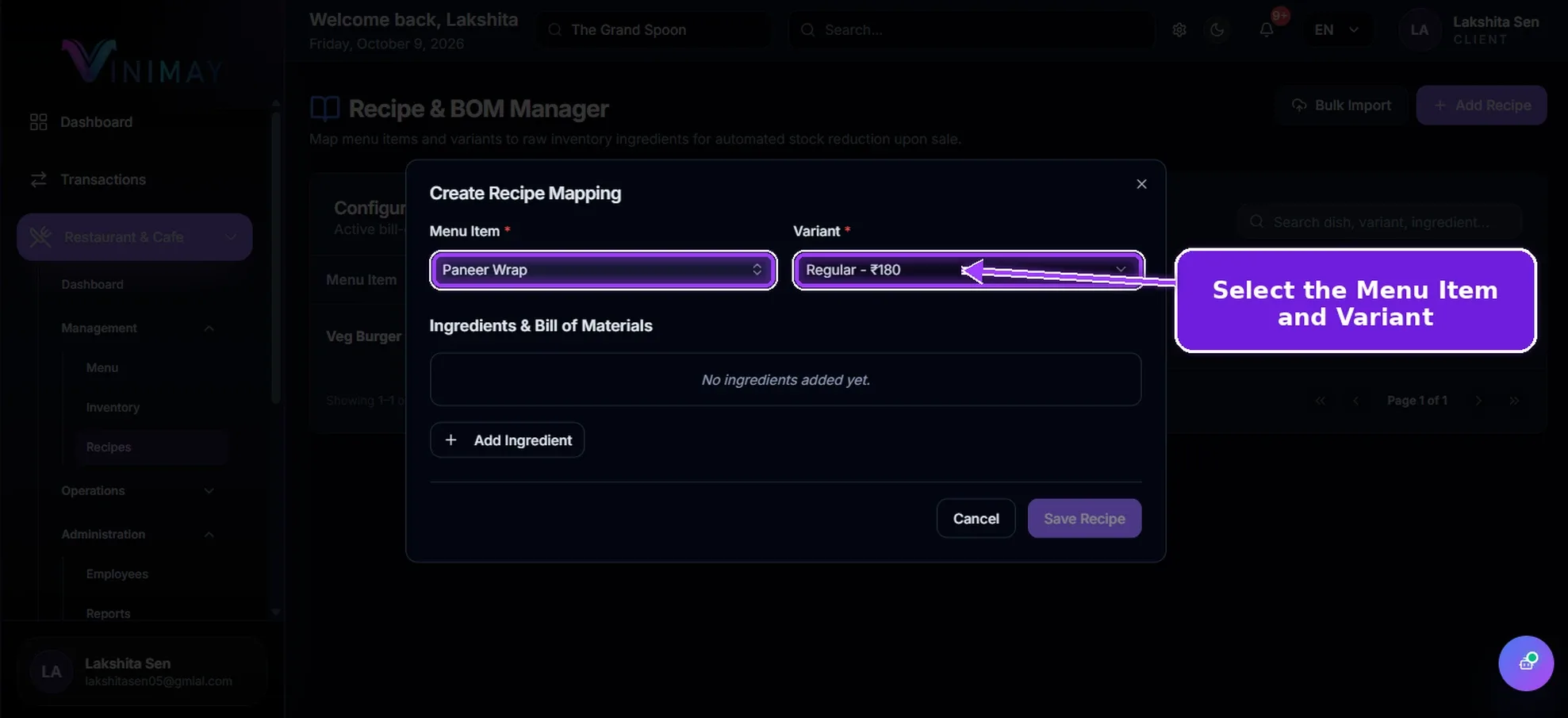
Choose the menu item for which you want to calculate the food cost.
Then select the correct variant.
For example:
Menu Item: Paneer Wrap
Variant: Regular – ₹180
The selling price of the selected variant is used when calculating the food cost percentage.
Step 4: Add Ingredients and Quantities
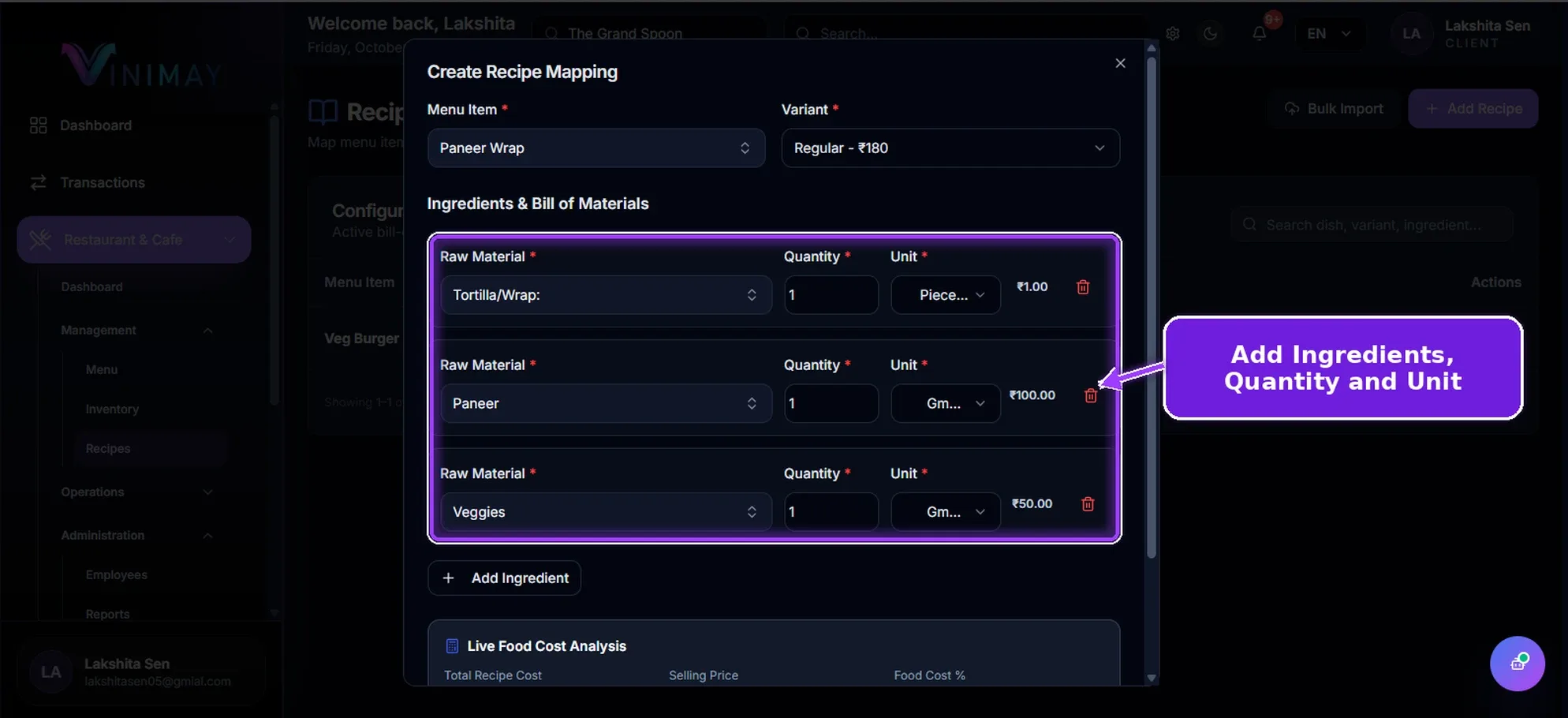
Under Ingredients & Bill of Materials, click Add Ingredient.
Select each raw material used to prepare one paneer wrap and enter the quantity consumed.
For example:
Tortilla/Wrap: 1 PCS
Paneer: 100 GRAM
Vegetables: 50 GRAM
Sauce: 20 GRAM
Vinimay uses the cost already recorded for each inventory ingredient to calculate the total cost of preparing one unit of the menu item.
Make sure the quantities are entered according to the actual portion used in one serving. Accurate ingredient quantities are important because even a small difference can affect the final food cost.
Step 5: Check Live Food Cost Analysis
After adding the ingredients, check the Live Food Cost Analysis section.
Vinimay can show:
Total Recipe Cost
This is the combined cost of all ingredients used to prepare one unit.
Selling Price
This is the selling price of the selected menu item variant.
Food Cost %
This shows what percentage of the selling price is being spent on ingredients.
For example, suppose the ingredient costs for one Paneer Wrap are:
Tortilla: ₹15
Paneer: ₹45
Vegetables: ₹12
Sauce: ₹8
Total Recipe Cost = ₹80
If the selling price is ₹180, then:
Food Cost % = Total Recipe Cost ÷ Selling Price × 100
So:
₹80 ÷ ₹180 × 100 = 44.4%
This means approximately 44.4% of the selling price is the ingredient cost.
The remaining amount is not automatically profit because other expenses such as staff salary, electricity, rent, packaging, delivery charges, wastage, and other operating costs may still apply.
Step 6: Save the Recipe
Once the ingredients, quantities, and food cost are correct, click Save Recipe.
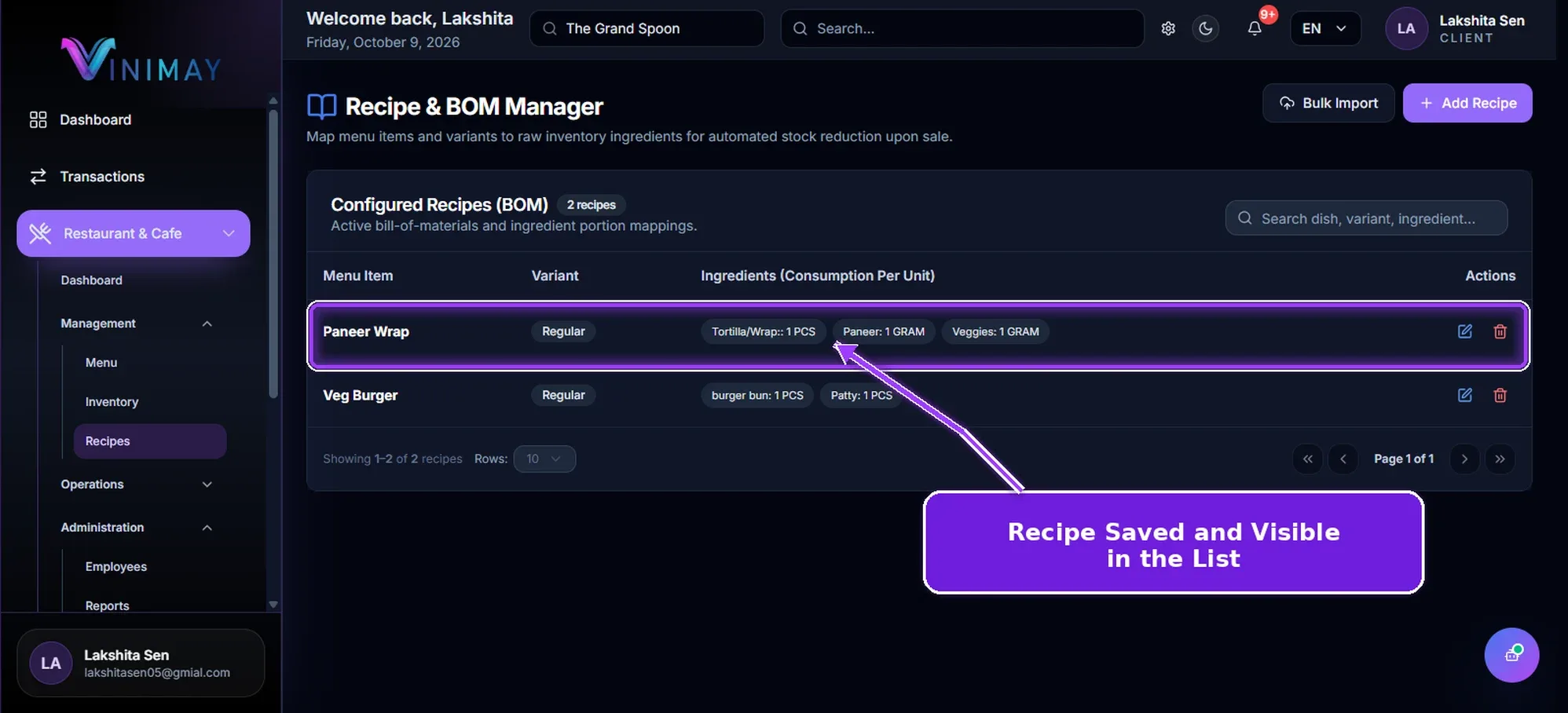
The recipe will then appear in the Configured Recipes (BOM) list.
You can review the menu item, selected variant, and ingredient consumption from the Recipe & BOM Manager.
This recipe mapping can also help maintain consistent ingredient usage and make food costing easier when ingredient costs change.
Quick Path
Restaurant & Cafe → Recipes → Add Recipe → Select Menu Item & Variant → Add Ingredients → Enter Quantity & Unit → Check Live Food Cost Analysis → Save Recipe
Using the Recipe & BOM Manager helps restaurants understand the actual ingredient cost of each dish, compare it with the selling price, and make better menu pricing decisions.