Managing accurate product information is essential for maintaining inventory, creating invoices, and tracking sales. Sometimes, businesses need to update product names, prices, GST rates, units, or other details.
With Vinimay Accounting Software, you can edit existing product information without creating a new product every time.
This step-by-step guide explains how to edit product information in Vinimay.
Step 1: Log in to Your Vinimay Account
Open the Vinimay website and log in using your registered username and password.
Enter the required login details, complete the CAPTCHA verification, and click the Sign In button.
After successful login, you will be redirected to the Vinimay dashboard, where you can access different accounting and inventory management features.
Ensure you have the necessary permissions to edit product details.

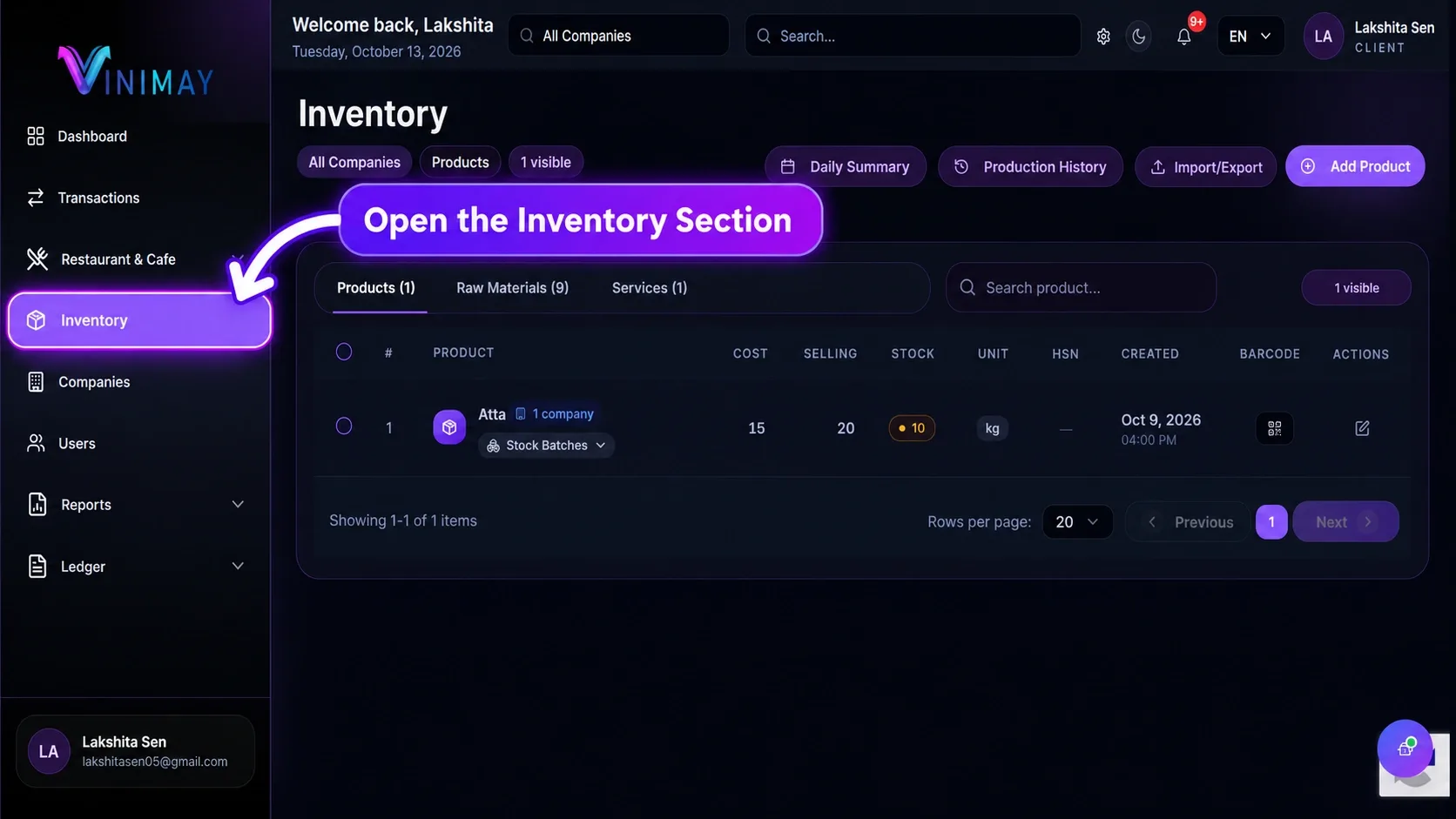
Step 2: Open the Inventory Section
On the left sidebar of the dashboard, locate the Inventory option.
Click on Inventory to expand the available inventory management features.
This section allows you to manage products, stock records, and other inventory-related information.
Navigate to the product management option to continue.
Step 3: Navigate to the Products Section
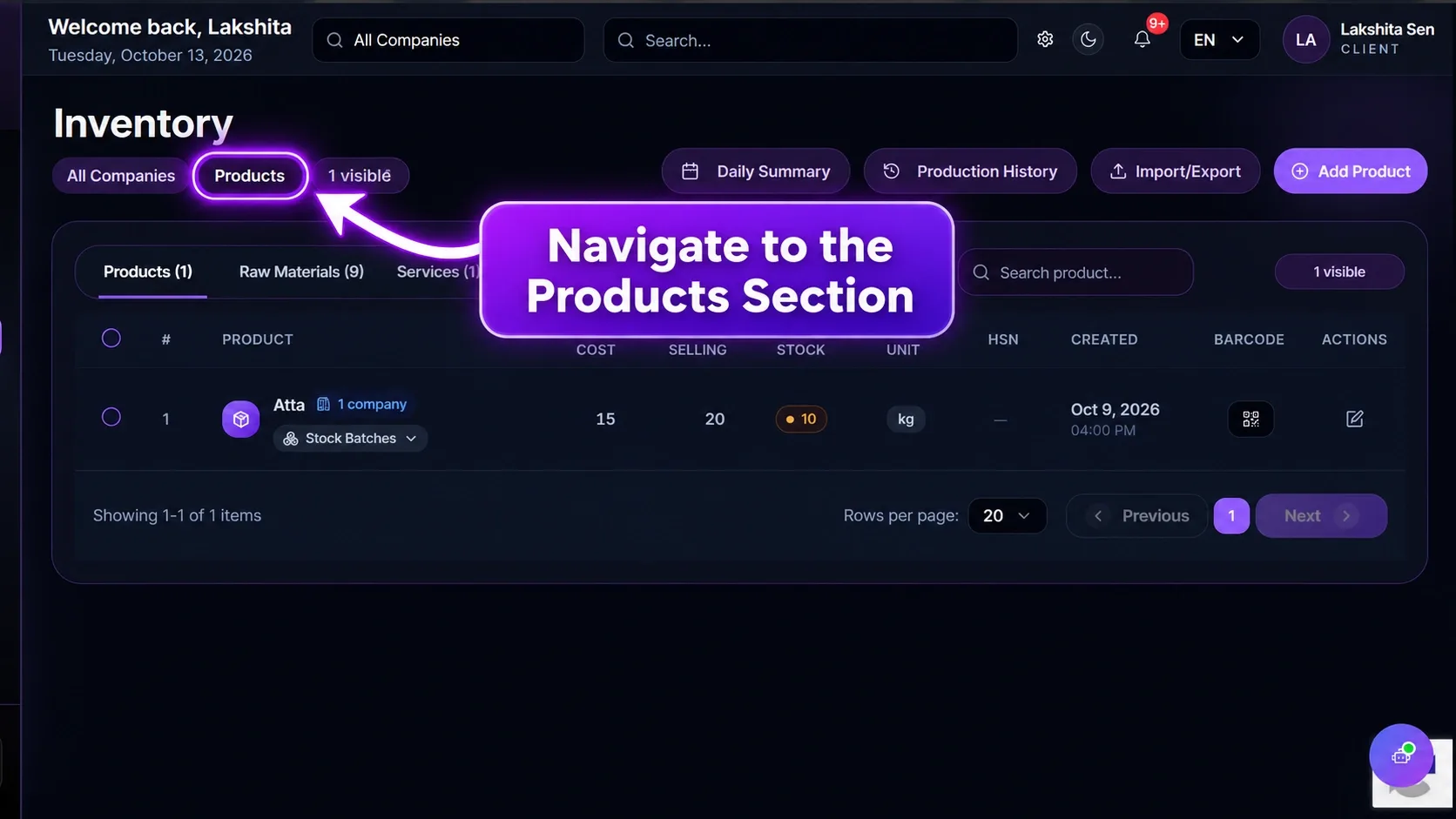
Under the Inventory menu, click on Products or the relevant product management option.
The product list will appear, displaying existing products saved in your Vinimay account.
Depending on the available columns, you may see product names, units, prices, stock details, and other information.
If you manage multiple companies, make sure the correct company is selected before editing a product.
Step 4: Search for the Product You Want to Edit
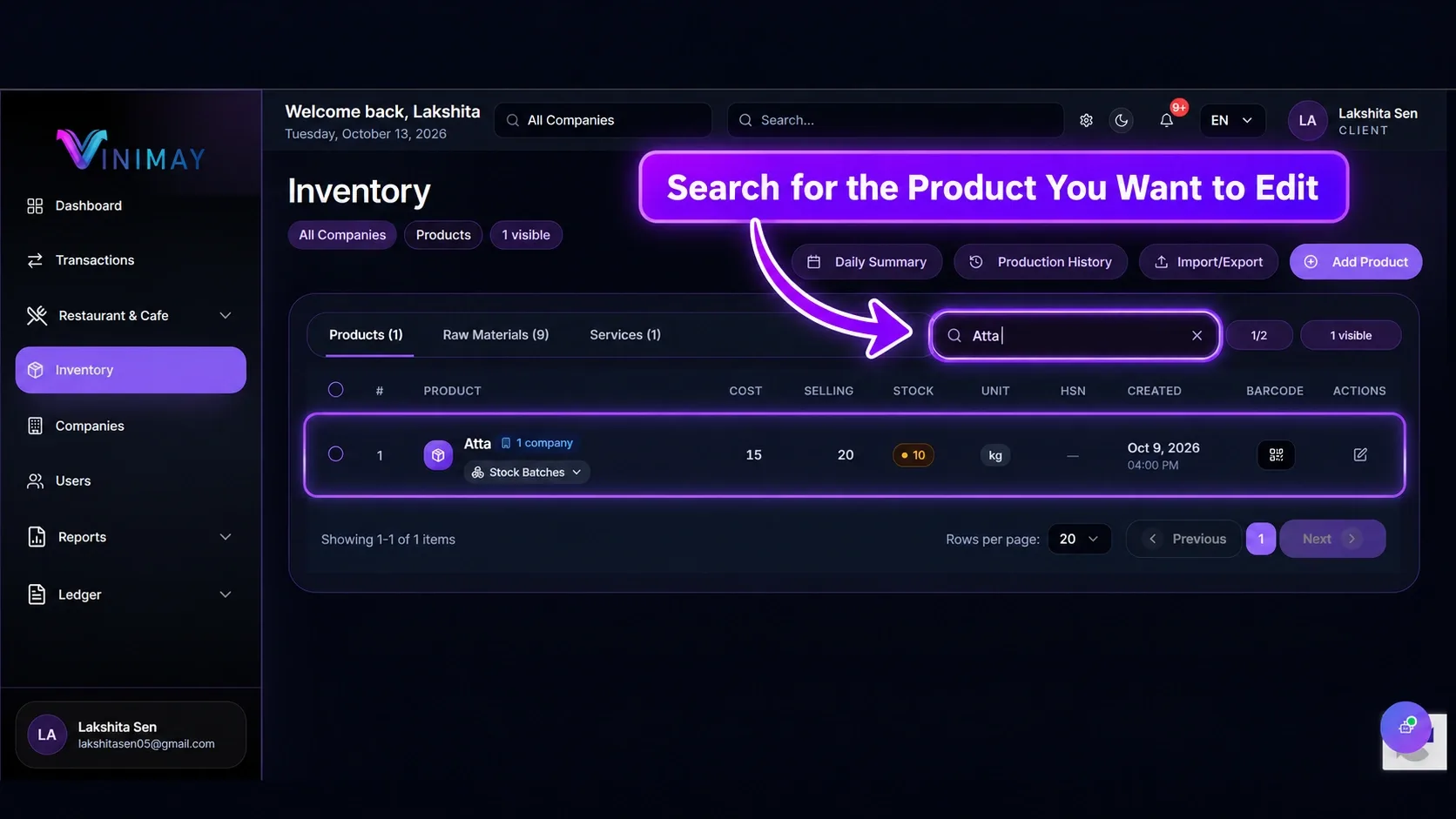
Once the product list opens, locate the product you want to update.
Use the search bar, if available, to enter the product name or another supported identifier.
For example, if you want to update a product named Basmati Rice, type its name in the search field.
Review the search results carefully and identify the correct product.
This helps avoid making changes to another product with a similar name.
Step 5: Update the Product Information
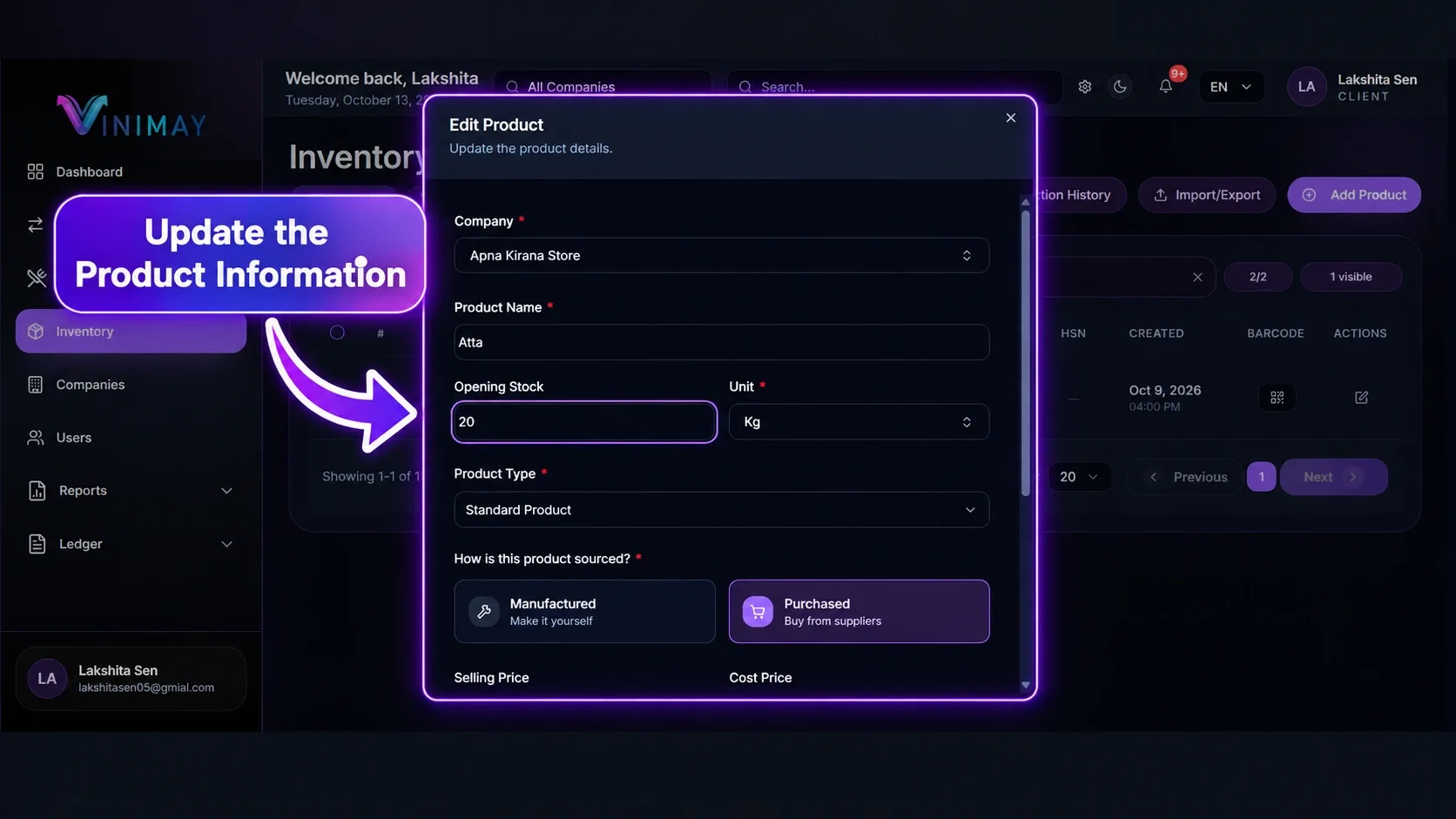
Inside the editing form, modify the product details as required.
Depending on the product fields available in Vinimay, you may be able to update:
Product Name: Correct or change the existing product name.
Selling Price: Update the price charged to customers.
Purchase Price: Modify the product's purchase cost.
GST Rate: Select the applicable GST percentage.
HSN Code: Correct the product's HSN classification.
Unit: Update the relevant measurement unit, where permitted.
Description: Add or modify product-related information.
For example, if the selling price of Basmati Rice changes from ₹80 to ₹90 per kilogram, update the selling price field with the new amount.
Check all details carefully before saving. Incorrect prices or tax classifications can affect future invoices and inventory records.
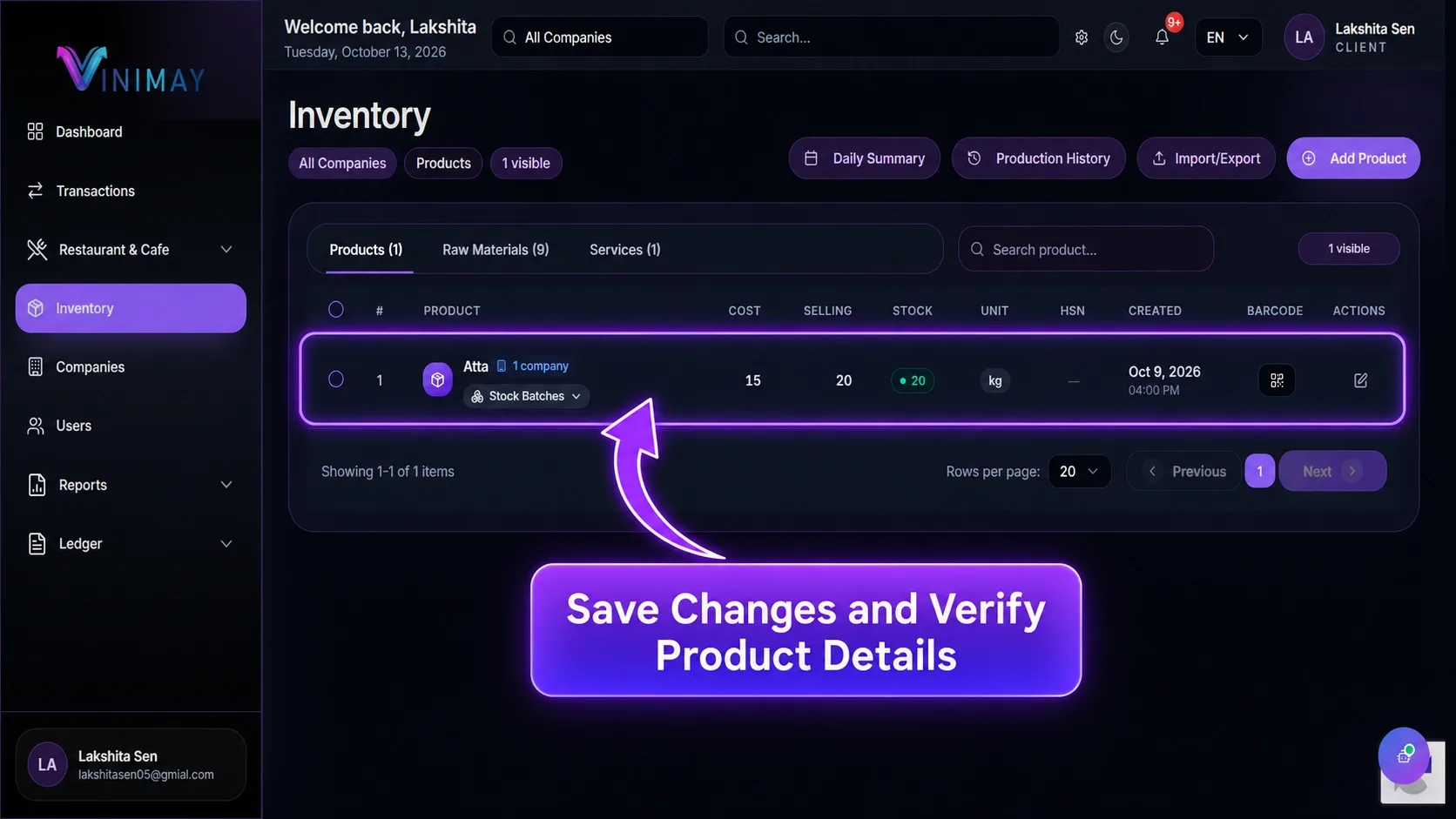
Step 6: Save Changes and Verify Product Details
After updating the required information, click Save, Update Product, or the equivalent button displayed in the form.
Wait for the system to confirm that the changes have been saved.
Return to the product list and search for the updated product.
Open its details and verify that the revised product name, price, GST rate, and other information are displayed correctly.
If any information is incorrect, reopen the editing form and make the necessary corrections.
Benefits of Editing Product Information in Vinimay
Keeping product information updated helps businesses maintain accurate inventory records and prepare invoices with the correct details.
It can also reduce manual entry errors, improve product identification, and make daily sales and purchase operations more organized.
Regularly reviewing product details is particularly useful when prices, product specifications, or applicable tax rates change.
Conclusion
Editing product information in Vinimay is a straightforward process that helps businesses keep their inventory data accurate and up to date.
By navigating to Inventory → Products → Edit Product → Save Changes, users can update existing product records and verify the changes.
Maintaining accurate product information supports smoother billing, better inventory management, and reliable business records.