Why Is "Send Invoice via WhatsApp" Locked in Vinimay?
You have just made an invoice and want to send it to your customer on WhatsApp, but the option is locked. Maybe you saw a message like "Not included in this plan" and wondered whether something is wrong with your account.
Nothing is broken. Vinimay shows the features your plan includes on a Plan & Permissions page. WhatsApp sending is one of the features that can be switched off for an account, and email sending can be switched off for a different reason.
This guide takes you from the Dashboard to the Plan & Permissions page step by step, with clear images, explains what each message means, and shows what you can do while the feature is locked.
Step 1: Start from the Dashboard
After you log in, open the Dashboard from the top of the left menu (marker 1). The menu lists Dashboard, Transactions, Restaurant & Cafe, Inventory, Companies, Users, Reports and Ledger. Settings is not listed there, so you reach it from the Dashboard.
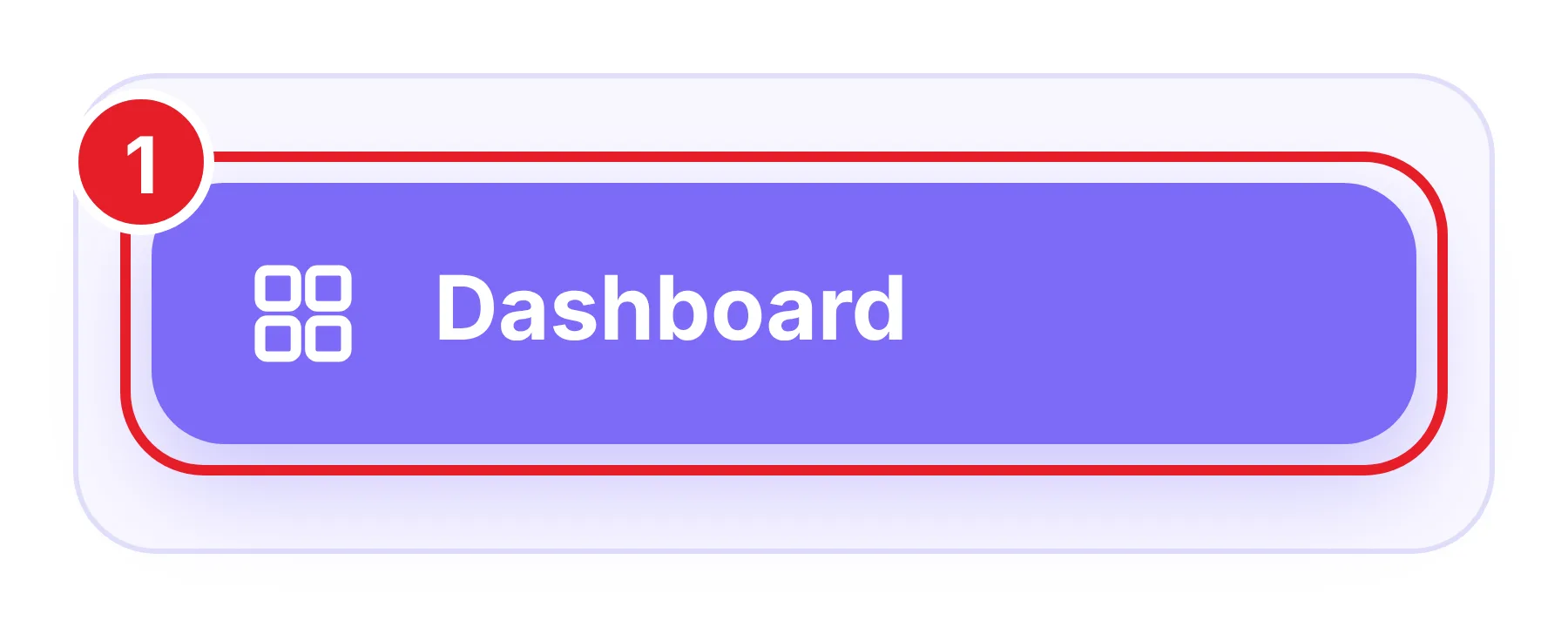
Step 1: Dashboard in the left menu
Step 2: Click Settings in Quick Actions
At the top right of the dashboard is the Quick Actions panel. It says you can create invoices, record entries, or jump into settings without leaving the view. Click Settings (marker 2). The other two buttons are Proforma Invoice and New Transaction.
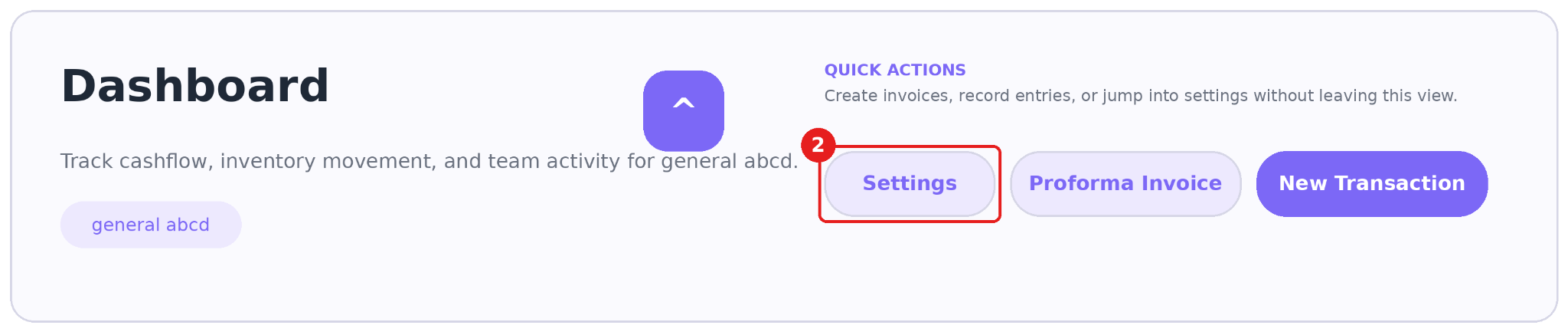
Step 2: Settings in Quick Actions
Step 3: Open the Permissions tab
The Settings page opens with tabs across the top: Permissions, Reset Password, Vendors, Customers, Products, Services, Invoices and Banks. Stay on Permissions (marker 3).
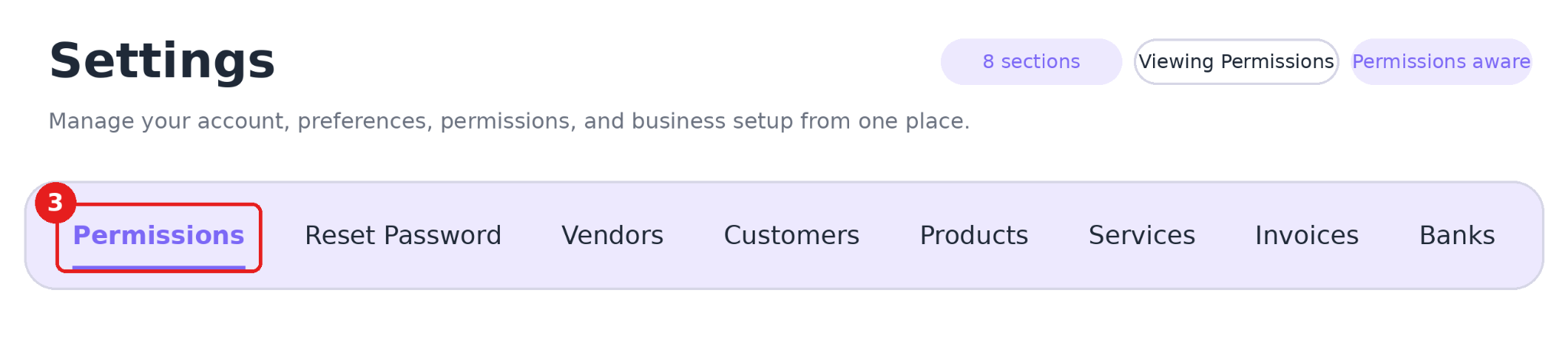
Step 3: Permissions tab
Step 4: Read Plan & Permissions
The Plan & Permissions section shows "Your current feature access, team allowances, and plan limits." The 4/6 enabled badge (marker 4) tells you that four of six features are on. Usage limits (marker 5) show the maximum companies, users and inventories. Under Feature access, Send Invoice via Email (marker 6) says "Email access is disabled by the master admin", and Send Invoice via WhatsApp (marker 7) says "Not included in this plan."
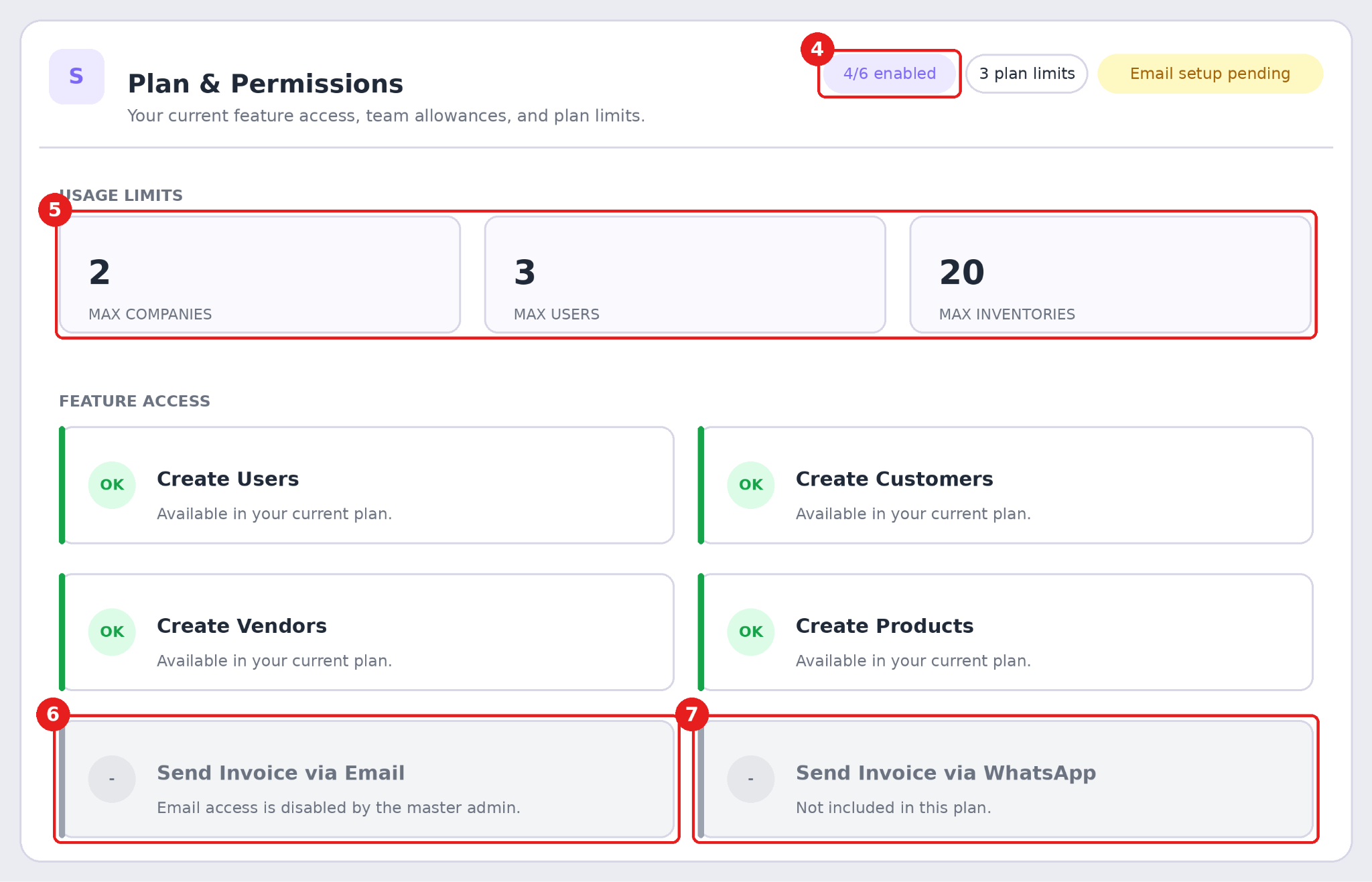
Step 4: Plan & Permissions page
What the messages mean
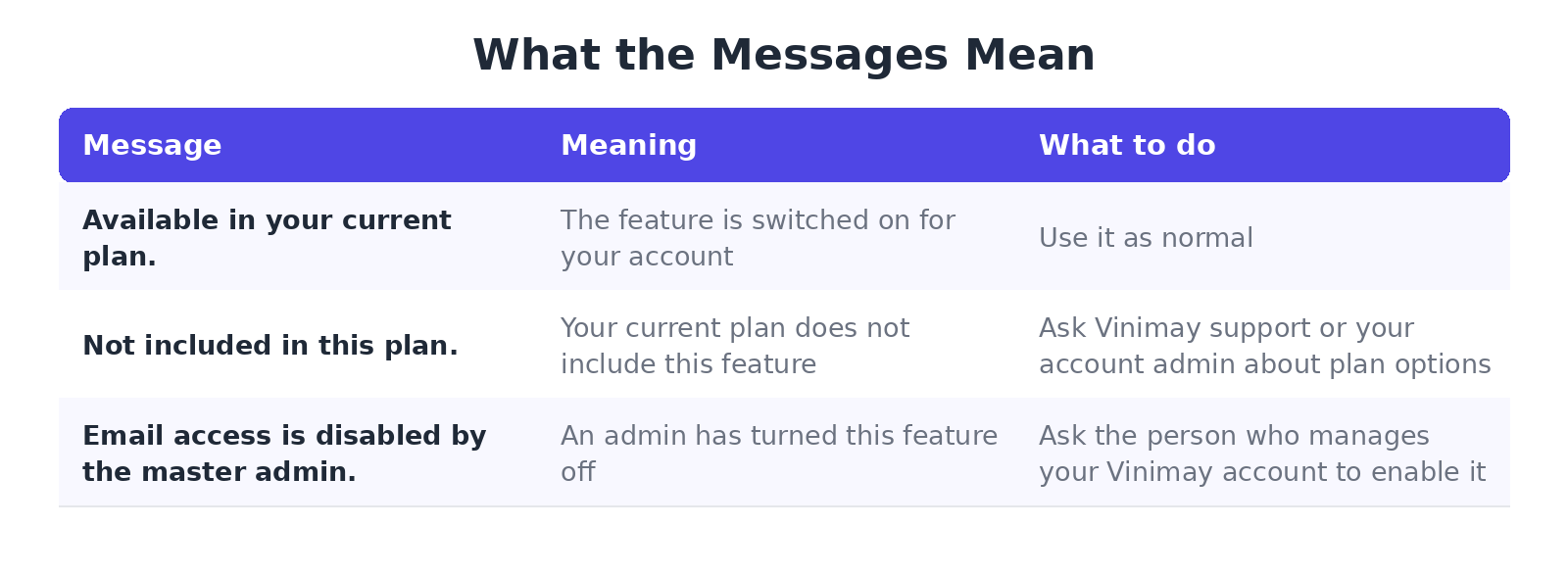 What the messages mean
What you can do now
Contact Vinimay support or your account admin and ask about the WhatsApp feature for your plan.
Download the invoice as a PDF, which is listed among the Free plan features, and share it yourself on WhatsApp.
Check the Email message separately. It is controlled by an admin setting, not by the plan.
Conclusion
If Send Invoice via WhatsApp is locked, the Plan & Permissions page tells you why. In this case, it says the feature is not included in the plan. It is not an error and nothing is wrong with your invoice.
To check your account, go to the Dashboard, click Settings in Quick Actions, and read the Feature access cards. The same page shows your usage limits, so you know how many companies, users and inventories you can have.
While the feature is locked, you can still download your invoice and share it by hand. Create a free Vinimay account and see what your plan includes today.
FAQs
Q1. Why is Send Invoice via WhatsApp locked in Vinimay?
The Plan & Permissions page shows it as not included in your current plan, so the feature is switched off for your account.
Q2. Where do I check which features my plan includes?
Open the Dashboard, click Settings in Quick Actions, and stay on the Permissions tab. The Plan & Permissions section lists your feature access.
Q3. How do I open Settings in Vinimay?
Click the Settings button in the Quick Actions panel on the Dashboard. Settings is not listed in the left menu.
Q4. What does 4/6 enabled mean?
It shows how many of the six feature access items are enabled for your account. Here, four of six are on.
Q5. What are the usage limits on the page?
They show the maximum number of companies, users and inventories allowed on your plan, for example 2 companies, 3 users and 20 inventories.
Q6. Why does Send Invoice via Email show a different message?
Email shows that email access is disabled by the master admin, which is a different reason from WhatsApp not being in the plan.
Q7. Can I still share an invoice if WhatsApp is locked?
The Free plan lists downloading invoices as PDF. You can download the PDF and share it yourself on WhatsApp or by email.
Q8. Who can enable a locked feature?
Contact Vinimay support or the person who manages your Vinimay account. The page only shows the status, it does not unlock the feature.