Why Is the Add Company Button Greyed Out in Vinimay?
You want to add another company in Vinimay, but the Add Company button on the Companies page looks greyed out and does not respond. You wonder whether something is wrong with your account.
In the screenshots, the page shows "2 total companies" and the Add Company button is greyed. On the Plan & Permissions page in Settings, the plan allows Max Companies 2. So the most likely reason is that the plan limit has been reached. This guide shows with real screenshots how to check that yourself.
The steps start from the login page and go through the dashboard.
Step 1: Log in to Vinimay
Open the Vinimay login page. Choose Client Login for the account owner or User Login for staff (marker 1). Enter the Username (marker 2) and Password (marker 3), type the CAPTCHA (marker 4), and click Sign In (marker 5).
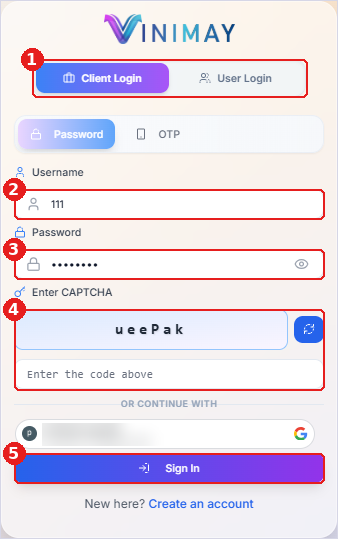
Step 1: Log in to Vinimay
Step 2: Open Companies from the Dashboard
After you sign in, you land on the dashboard. In the left menu, click Companies (marker 6).
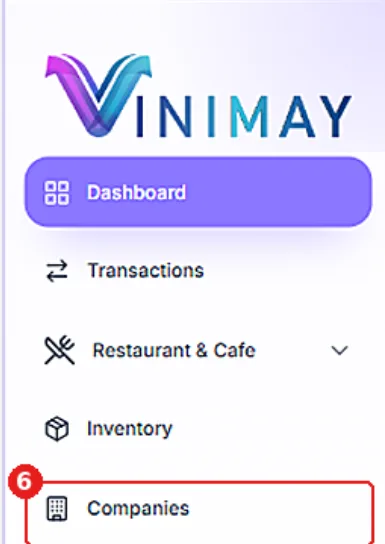
Step 2: Companies in the left menu
Step 3: Count your companies and look at the button
At the top of the Companies page, the chip 2 total companies (marker 7) tells you how many companies you have. The Add Company button at the top right (marker 8) looks greyed out in the example.

Step 3: Total companies and the Add Company button
Step 4: Open Settings from the Dashboard
Go back to the Dashboard and click Settings in the Quick Actions panel (marker 9). Stay on the Permissions tab.
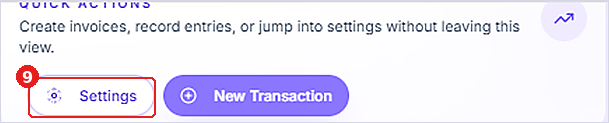
Step 4: Settings in Quick Actions
Step 5: Read Max Companies
Under Usage limits, Max Companies (marker 10) shows the number of companies your plan allows. In the example it is 2, the same as the 2 companies you already have.
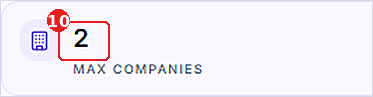
Step 5: Max Companies
What to do
Tips
Check your plan limits before you plan a new company.
Remember that other accounts can show different limits.
Look at the Companies page to see which companies you have already added.
Conclusion
If the Add Company button is greyed out in Vinimay, compare the number of companies on the Companies page with Max Companies in Settings, under Permissions.
In the example both are 2, which points to the plan limit. If your numbers are different, contact Vinimay support.
Knowing your limit saves time. Create a free Vinimay account and check your plan today.
Create a free Vinimay account and check your plan today.