What Does "Allow Negative Stock" Mean in Vinimay Restaurant Settings?
A cashier tries to bill a dish, and the restaurant is out of an ingredient in the recipe. Should Vinimay stop the bill or let it go through? That is what the "Allow negative stock" setting decides, and it is one of the most useful switches in the restaurant settings.
The setting sits in the Operations section. Under its name, the screen says "Permit billing when recipe stock is insufficient." In the screenshot, the switch is on.
This guide starts from the login page, shows where the switch is, and explains with real screenshots what recipe stock and raw materials have to do with it.
Step 1: Log in to Vinimay
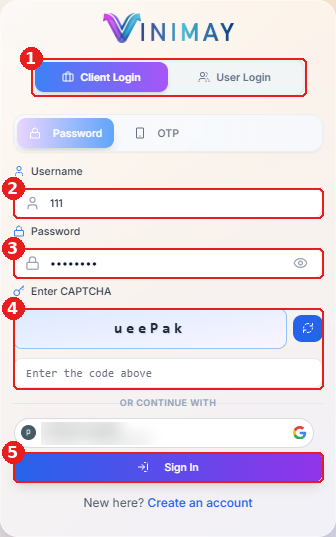
Open the Vinimay login page. Choose Client Login for the account owner or User Login for staff (marker 1). Enter the Username (marker 2) and Password (marker 3), type the CAPTCHA (marker 4), and click Sign In (marker 5).
Step 2: Start from the Dashboard
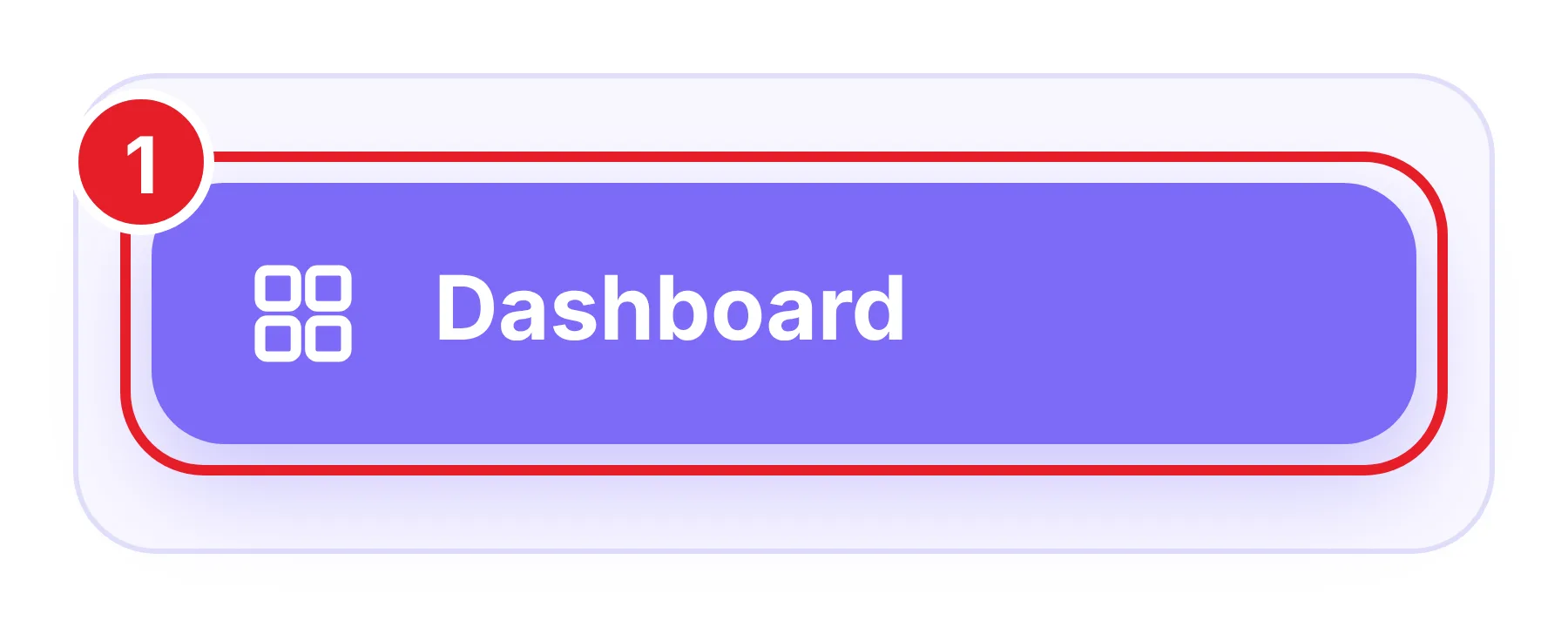
After you sign in, you land on the Dashboard (marker 6).
Step 3: Open Restaurant & Cafe, then Settings
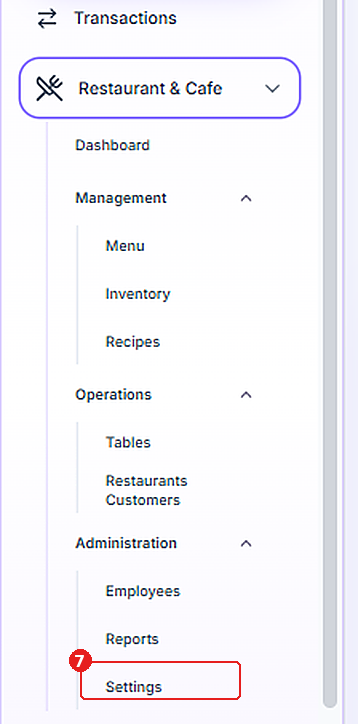
Click Restaurant & Cafe. Under Administration, click Settings (marker 7).
Step 4: Find Allow negative stock
In the Operations section, find Allow negative stock (marker 8). The text under it reads "Permit billing when recipe stock is insufficient." The switch on the right shows whether it is on. After you change it, click Save settings (marker 9).

Step 5: Know what recipe stock is
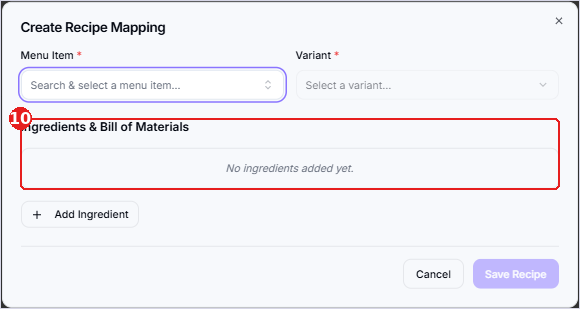
A recipe, also called a bill of materials, links a dish to its ingredients. In the Create Recipe Mapping window, the Ingredients & Bill of Materials section (marker 10) is where those ingredients are added. The setting is about what happens when the stock of those ingredients is not enough.
Step 6: Check your raw material stock
Your raw materials are tracked on the restaurant Inventory Management page, which says "Track and manage raw materials." The Stock Level column (marker 11) shows how much you have.

Tips
Click Save settings after you change the switch.
Keep your raw material stock up to date on the Inventory Management page.
Create recipes for your dishes, so Vinimay knows what each dish uses.
Decide with your team whether billing should go through when stock is low.
Conclusion
Allow negative stock is a switch in the restaurant settings, under Operations. The screen says it permits billing when recipe stock is insufficient.
It works together with your recipes and your raw material stock, so keep those up to date. After you change the switch, click Save settings.
Check the switch whenever billing behaves in an unexpected way. Create a free Vinimay account and set up your restaurant today.
Q3. How do I save the change?
Click the Save settings button at the top right of the Operations section.
Q4. What is recipe stock?
The stock of the ingredients in a dish's recipe, which are your raw materials.
Q5. Where do I add a recipe?
In Restaurant & Cafe, Management, Recipes, using the Create Recipe Mapping window.
Q6. Where do I see my raw material stock?
On the restaurant Inventory Management page, in the Stock Level column.
Q7. Is the switch on or off by default?
In the screenshot it is on. Check your own account.
Q8. Is this the same as the main Inventory page?
No. The restaurant Inventory Management page tracks raw materials, while the main Inventory page lists products and services.