Vinimay LogoVinimay Text
About Us
Features
GST Billing & InvoicingInventory ManagementPOS BillingCustomer ManagementVendor ManagementTransaction Management
Solutions

Business Solutions

Choose a solution built for your business

General

Billing, inventory & accounts

→

Travels

Bookings, routes & billing

→

Courier

Tracking, delivery & billing

→

Transportation

Trips, vehicles & expenses

→

Marbles

Stock, units & sales

→

Restaurant & Cafe

Sales, stock & vendors

→

Kirana & Grocery

Billing, inventory & invoice

→

Service

Sales, raw material & stock

→

Manufacturing

Production, raw material & stock

→

Trading

Purchase, sales & stock ledger

→
Explore All Solutions→
Pricing
Knowledge Centre

Knowledge Base→

Step-by-step product tutorials & setup

Blogs→

Industry news, GST & tax tips

IN
About Us→
All FeaturesGST Billing & InvoicingInventory ManagementPOS BillingCustomer ManagementVendor ManagementTransaction Management
All SolutionsGeneralTravelsCourierTransportationMarblesRestaurant & CafeKirana & GroceryServiceManufacturingTrading
Pricing→

Knowledge Base

Product help & tutorials

→

Blogs

Industry news & tax tips

→

Region / Country

India

© 2025 Vinimay. All rights reserved.

🏠Getting Started
Quick setup guideHow to Add Unlimited Custom Business Fields to InvoicesHow to Set/Change Language in Vinimay Mobile AppHow to Update Phone Number/e-Mail of a BusinessHow to Add or Delete a Business in Vinimay AccountWhy Vinimay is a Better Alternative to Vyapar App
📋Billing & Invoicing
How to Add a Receiver's Signature Field to Your Invoices?How to Use Party-Wise Item PricesHow to Add and Edit Party Names for Shipping Addresses?Add Precise Quantities with Up to 4 Decimal Places
🛒Inventory Management
How to Add Items and Manage StockHow to Track Low Stock Alerts
👥Party Management
How to Add Customers and SuppliersHow to Send WhatsApp Payment Reminders
💰Accounting
How to Record Expense Entries in VinimayManaging Cash & Bank Accounts
📊Grow your business
How to Set Up Online Store in VinimayTrip & Fleet Management Guide
Contents

INVOICE

Billing
Made
Simple
Simpler billing. Brighter businesses.

Let's grow your business together.

Quick Setup

Get started in minutes

Secure & Reliable

Your data is safe with us

Built for Growth

Simple. Practical. Useful.

Vinimay Logo

Smart Billing. Stronger Businesses.

finaxis.in@gmail.com

Product

  • GST Billing & Invoicing
  • Inventory Management
  • POS Billing
  • Customer Management
  • Vendor Management
  • Transaction Management

Solutions

  • General
  • Travels
  • Courier
  • Transportation
  • Kirana & Grocery
  • Restaurant & Cafe
  • Marbles
  • Service
  • Manufacturing
  • Trading

Company

  • About Us
  • Features
  • Pricing
Small Businesses
Big Dreams
Vinimay Logo

Smart Billing. Stronger Businesses.

finaxis.in@gmail.com
Small Businesses
Big Dreams

Product

  • GST Billing & Invoicing
  • Inventory Management
  • POS Billing
  • Customer Management
  • Vendor Management
  • Transaction Management

Solutions

  • General
  • Travels
  • Courier
  • Transportation
  • Kirana & Grocery
  • Restaurant & Cafe
  • Marbles
  • Service
  • Manufacturing
  • Trading

Company

  • About Us
  • Features
  • Pricing
  • Blogs
  • Contact Us
  • Careers
Grow
Progress
Repeat

© 2026 Vinimay. All rights reserved.

Built for Growth|Simple Tools. Real Growth.

📄Billing & Invoicing

Free Billing Software for Freelancers: Quote, Bill and Get Paid

P

Written By prachi kahar

Updated 1 month ago

Overview

Freelancing means you are the designer, the writer and also the accountant. Invoices get written in a hurry, a client forgets to pay, and at the end of the year you cannot tell what you earned. A simple billing tool fixes most of this.

Free Billing Software for Freelancers: Quote, Bill and Get Paid

Freelancing means you are the designer, the writer and also the accountant. Invoices get written in a hurry, a client forgets to pay, and at the end of the year you cannot tell what you earned. A simple billing tool fixes most of this.

This guide explains what a freelancer invoice needs, how GST applies to you and a simple workflow from quote to payment. You will also follow numbered Vinimay screenshots to add your service, send a quote, record payment, and check your income.

Vinimay is free GST billing and accounting software built for small businesses and independent professionals. It is free to get started, so you can look professional to your clients without paying for software on day one.

What Should a Freelancer Invoice Include?

Detail

Why it matters

Invoice number and date

Keeps your records in order

Your name, address and GSTIN, if registered

Identifies you

Client name and address

Identifies who must pay

Description of work with SAC code

Classifies your service

Hours or quantity, rate and total

Shows how you arrived at the amount

GST, if applicable, and due date

Tells the client what and when to pay

Do Freelancers Need GST?

Service providers generally need GST registration once their yearly turnover crosses ₹20 lakh (₹10 lakh in some special category states). Below that, you can bill without GST. If you bill clients outside India, export of services follows special rules. Confirm your case with a CA. FISRT LOGIN
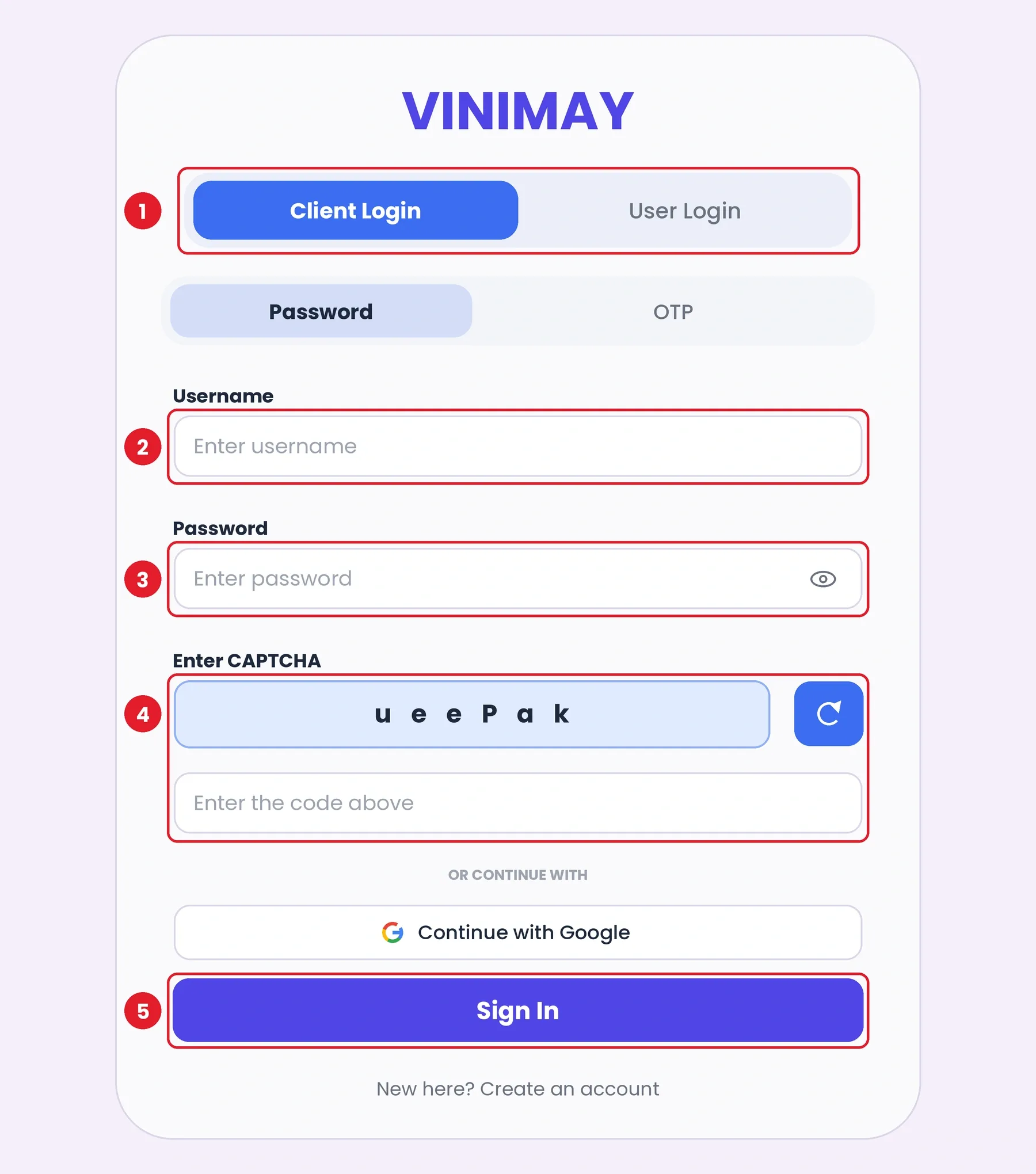
vinimay-login-full-form-clear


How to Bill Your Clients in Vinimay

Step 1: Add your service

On the Dashboard, scroll to the Product & Service Stock section and click Add Product (image 1). In the window that opens, choose Service, then fill in the details. Doing this once saves you from typing the same service again.
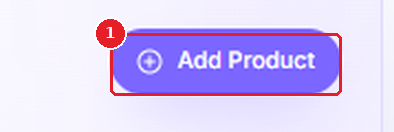
Vinimay Add Product button on the Dashboard

Add Product button

Step 2: Start a quote

In the Quick Actions box at the top right, click Proforma Invoice (image 2).
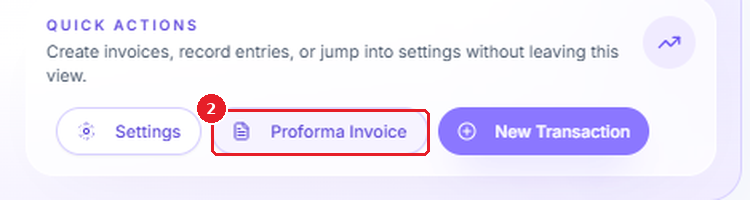
Vinimay Dashboard with the Proforma Invoice button

Proforma Invoice button

Step 3: Add the client and the dates

Type the customer name (image 3). Choose a Due Date (image 4), which is optional, and use the Reference Number (image 5) for the client’s purchase order or project number.
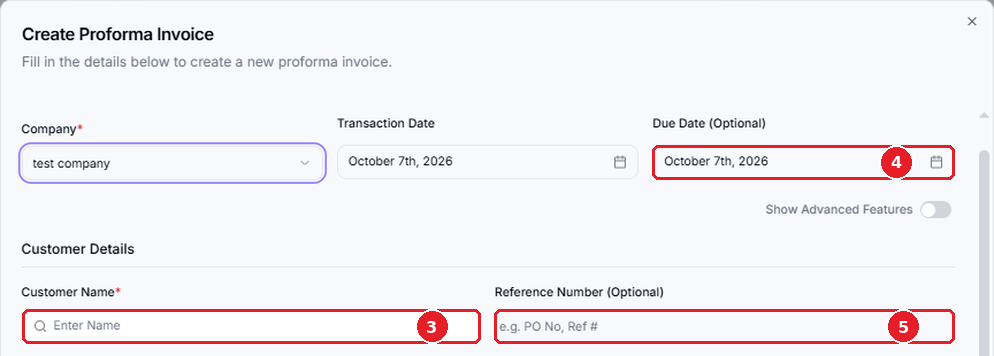
Vinimay Create Proforma Invoice window with customer name, due date and reference number

Client name, due date and reference number

Step 4: Add your hours and rate

Scroll to Items. Enter the Qty (image 6), for example the number of hours, and the Price/Unit (image 7), which is your rate. Click Add Service (image 8) to add another line for a different task.

Vinimay item row with quantity, price per unit and the Add Service button

Quantity, rate and Add Service button

Step 5: Add your terms and create the quote

In the Notes box (image 9), the Terms and Conditions already say the proforma invoice is valid for 7 days. Edit them to add your payment terms. Then click Create Proforma Invoice (image 10).
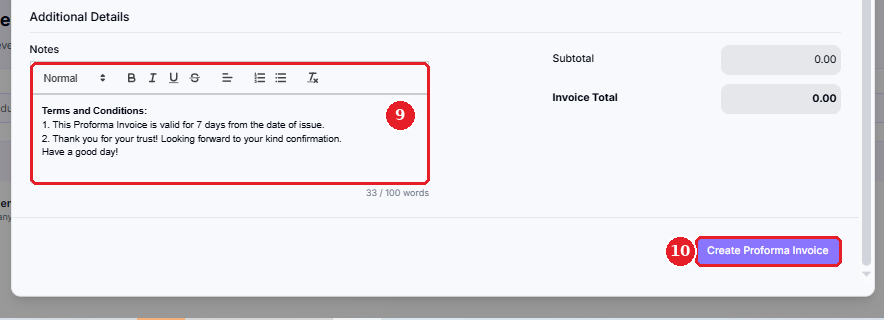
Vinimay proforma invoice notes and Create Proforma Invoice button

Terms and the Create Proforma Invoice button

Step 6: Record the payment

When the client pays, click New Transaction and open the Receipt tab (image 11). Enter the client in Received From (image 12) and the Amount (image 13), then click Create Transaction (image 14).
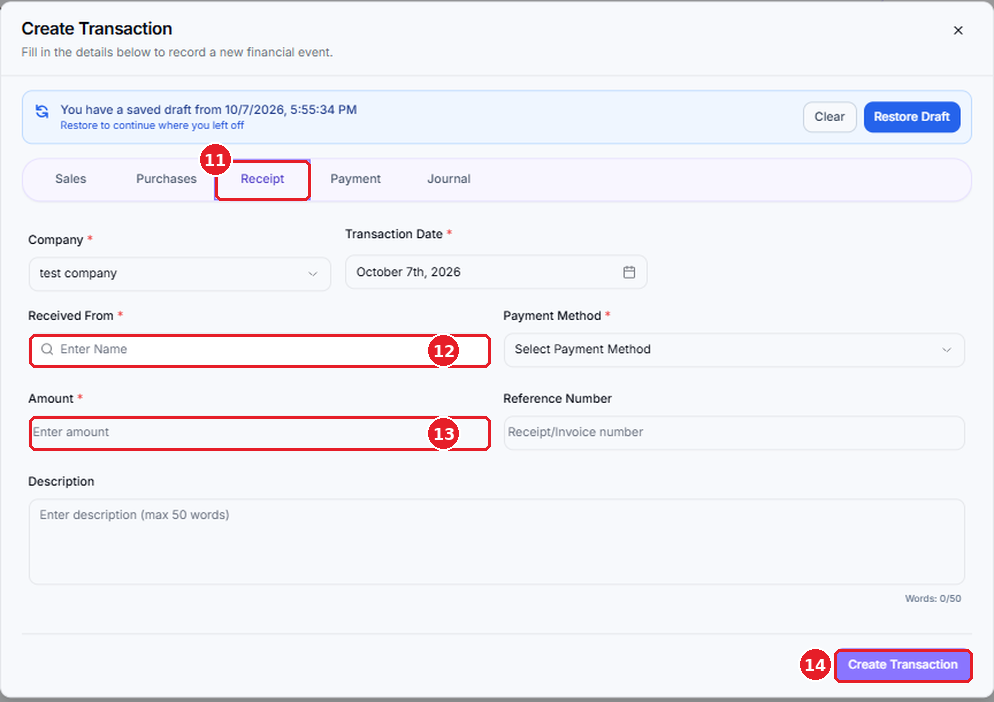
Vinimay Create Transaction window on the Receipt tab

Recording a payment received

Step 7: Check your income

Go back to the Dashboard. The Total Sales card (image 15) shows your sales for the selected company.
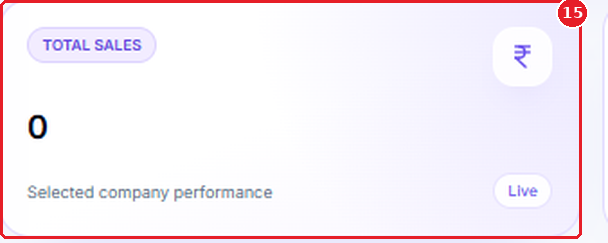
Vinimay Dashboard Total Sales card

Total Sales card

Common Mistakes to Avoid

  • Starting work without a written quote or advance.

  • Not numbering invoices.

  • Forgetting to follow up after the due date.

  • Mixing personal and business payments.

Conclusion

Good billing habits make a freelancer look professional and get paid faster. Send a quote, agree on terms, invoice on time and record every payment.

Review your income every month. It tells you which clients and services are worth your time, and it makes tax time much easier.

Free software removes the excuse. With quotes, payments and totals in one place, you can spend your time on the work you actually enjoy.

Try Vinimay free and start billing your clients today.

FAQs

Q1. Do freelancers need to issue invoices?
Yes. An invoice is your proof of income and your client’s proof of expense.

Q2. Do freelancers need GST?
Generally once yearly turnover crosses ₹20 lakh (₹10 lakh in some special category states). Check with a CA.

Q3. What is a proforma invoice?
A quote that looks like an invoice but is not a tax invoice.

Q4. Can I ask for an advance?
Yes. Mention it in the quote and record the payment when it arrives.

Q5. What SAC code should I use?
It depends on your service. Check the exact code with your CA.

Q6. How do I add a service in Vinimay?
Click Add Product on the Dashboard and choose Service.

Q7. How do I record a client’s payment?
Click New Transaction, open the Receipt tab and enter the client and amount.

Q8. How do I see my income in Vinimay?
Check the Total Sales card on the Dashboard.

Q9. Is Vinimay free for freelancers?
Vinimay is free to get started. Check the plan details on the website.

Q10. Can I bill foreign clients?
Export of services follows special GST rules. Confirm with your CA.


Did this article solve your question?

Not really
Somewhat
Very helpful!

More in Billing & Invoicing📄

What Is a Proforma Invoice and How Do I Create One? Step-by-Step GuideBilling Software for Travel Agencies: Quote, Collect and Pay SuppliersHow to Do GST Billing for a Kirana ShopHow to Set the Shipping Address on a Vinimay Invoice

What Is a Proforma Invoice and How Do I Create One? Step-by-Step Guide

Next
Previous

How to Create a Recipe (Bill of Materials) in Vinimay

Still Have Questions?

Talk directly with our product specialist team

Our customer support team is available Mon-Sat, 9:00 AM - 7:00 PM IST to help you configure your business.

Email Support: finaxis.in@gmail.com
Contents